
LearnWise changelog
Release of May 12th 2025
✨ New Features
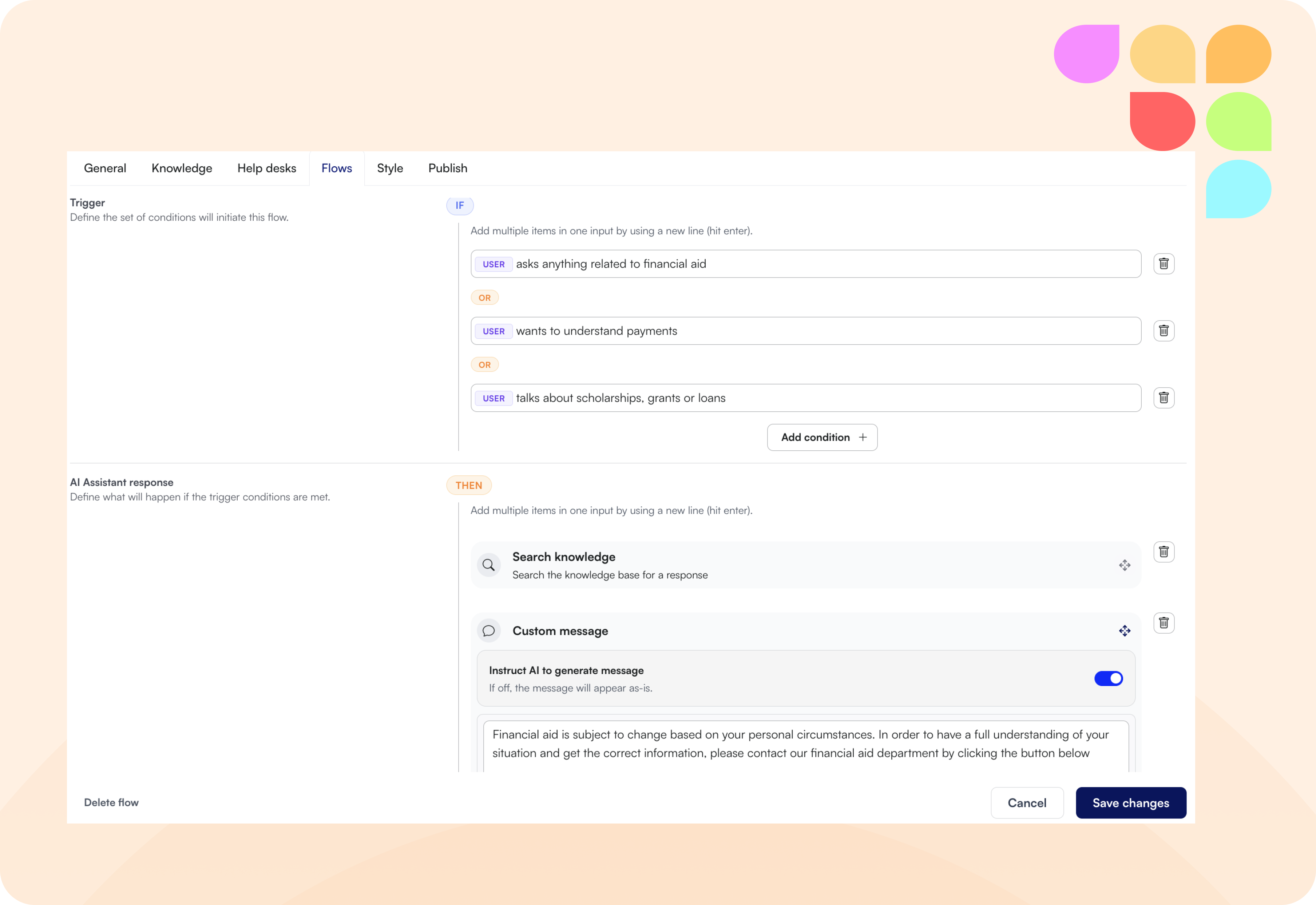
🔀 Flows – Precise Pathways for User Interactions
Flows in LearnWise let you define clear response pathways based on user inquiries, ensuring optimal handling of every scenario. Easily determine whether a knowledge search occurs, the user is escalated directly to a helpdesk, tailored follow-up questions are presented, or a custom message is delivered.
💪Flexible Responses: Quickly add, edit, or delete triggers and responses, allowing rapid iteration and continuous improvement.
🥽 Clear Decision-Making: Precisely control the flow of information, ensuring users receive exactly the support they need.
🛠️ Improvements
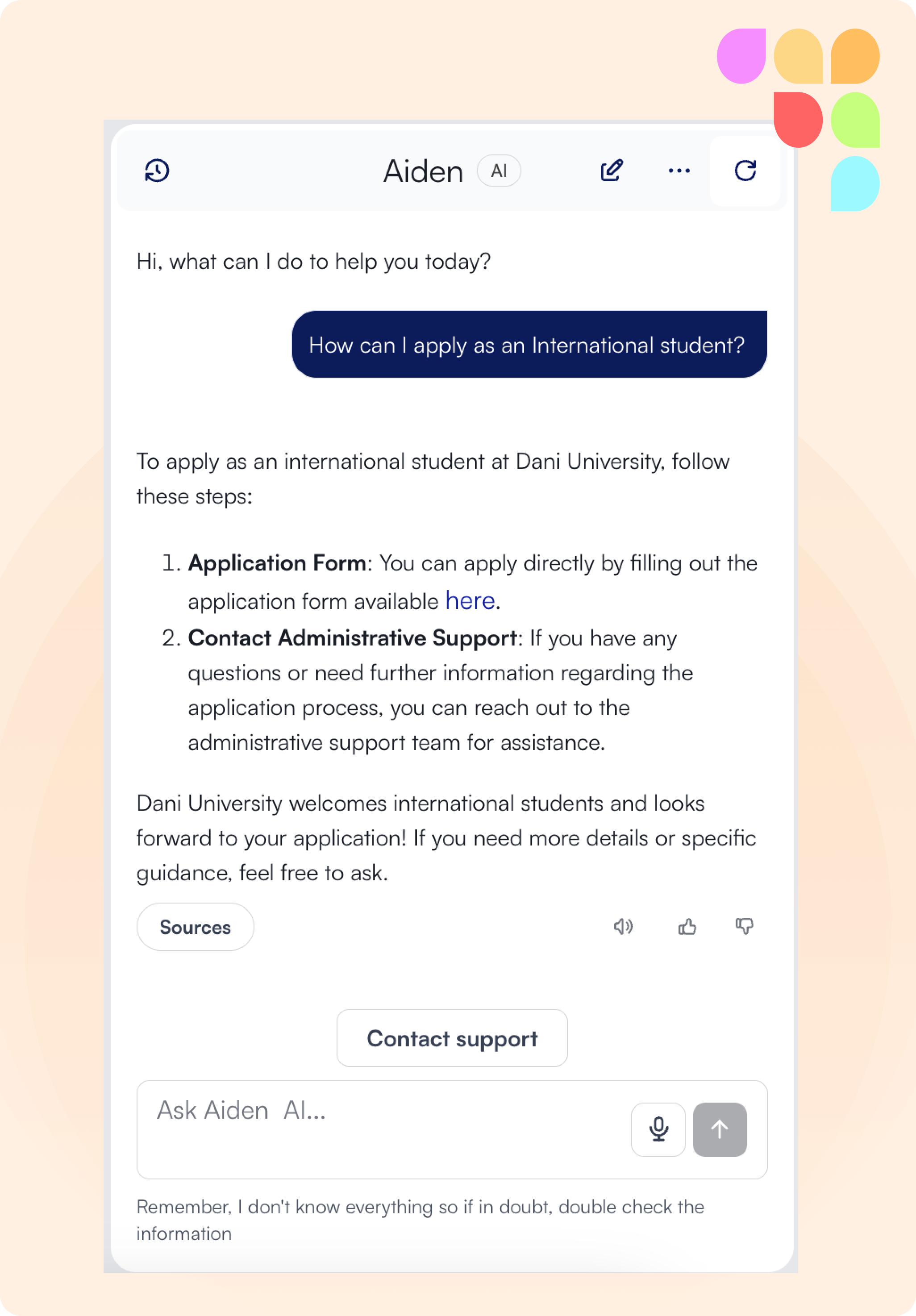
💬 Chat Interface Revamp – Cleaner Design & Improved UsabilityWe've upgraded the LearnWise chat interface for easier use and a clean, modern look:
🔝 Improved Navigation: Shortcut buttons have moved to the top for quicker access.
🧭 Streamlined Header: Easily access Refresh, New Conversation, Full-Screen mode, and Conversation History from the header.
🎨 Modern Visuals: A fresh, neutral header complements your brand colors on question bubbles.
📚 Expandable Sources: Citations and references are now neatly expandable, ensuring clarity without clutter.
👍👎 Instant Feedback: Quickly rate each response using new thumbs up/down buttons.
⚠️ Clearer Context: The disclaimer is now prominently positioned below the chat entry area.
🚨 Enhanced Escalations: Clear visual indicators now show when escalation options are available.
🔒 Enhanced Security – Reduced SharePoint Permissions
We've minimized the permissions required by LearnWise to access your SharePoint content. LearnWise now uses only the necessary minimum read-access permissions, ensuring optimal security while effectively retrieving the required information.
📘 Instant EdTech Documentation – Microsoft Teams & Class CollaborateLearnWise now includes out-of-the-box documentation for Microsoft Teams and Class Collaborate. Effortlessly provide accurate help and guidance to your users with just a click—zero maintenance required, as we'll continuously update these resources for you.
🪳Bug Fixes
💯 Dashboard Course Count Fix
We've resolved an issue where the course count on your LearnWise dashboard was previously cut off after reaching 100. Now, the total number of active LearnWise courses is correctly displayed and fully visible within the Knowledge tab.
🧹 LTI Connection Cleanup
We've fixed an issue where courses remained available even after an LTI connection was removed from a course assistant. Now, when an LTI connection is removed, the associated courses are correctly removed as well, ensuring accurate course availability.
🩹 Floating Button Position Persistence
We've resolved an issue where the floating button would reset to the default bottom-right position after a refresh or navigation. Now, your selected button placement is remembered and consistently maintained—even after page refreshes, navigation between pages, or logging out and back in.