
LearnWise changelog
Release of June 9th 2025
✨ New Features
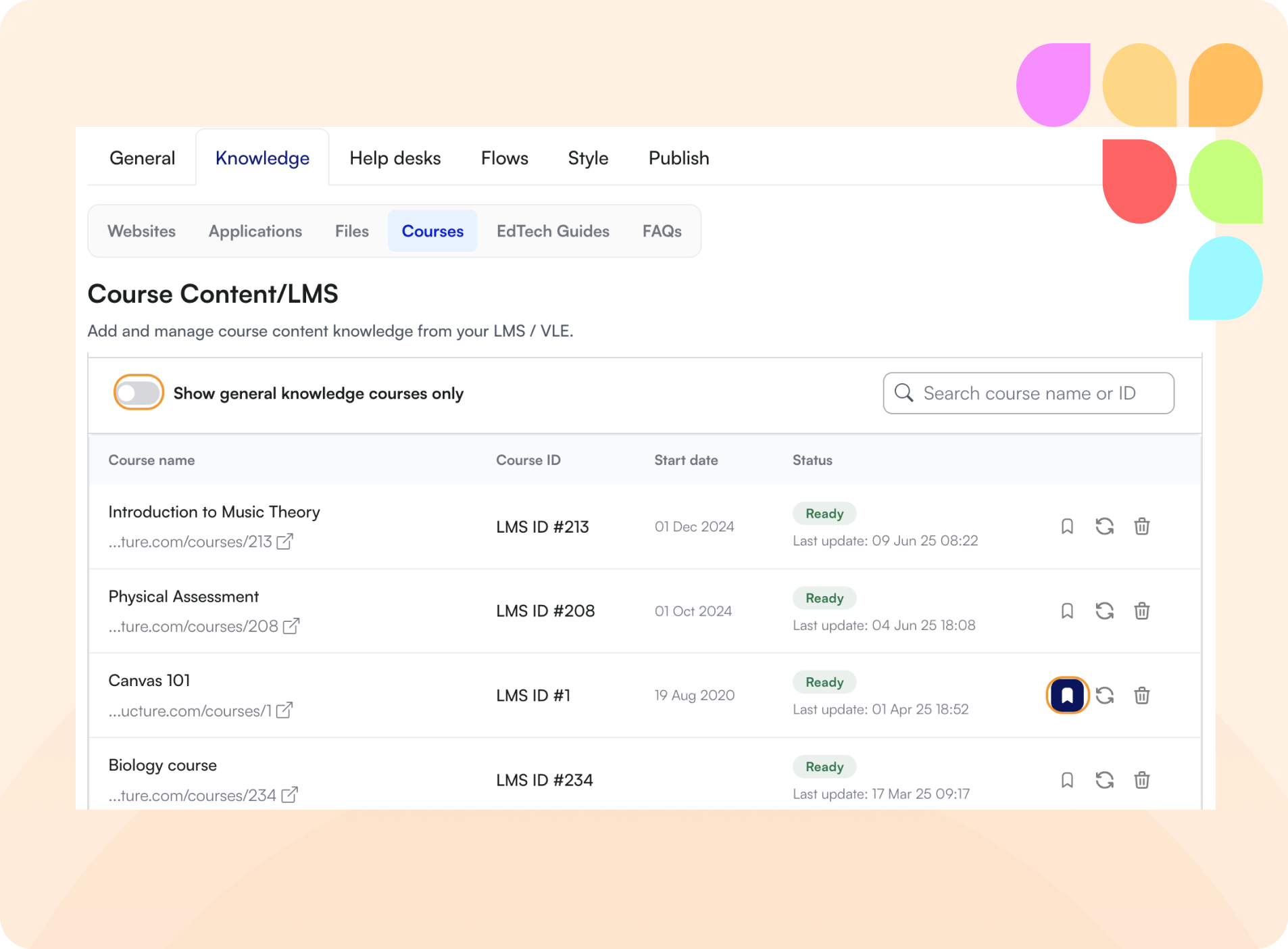
🎓 Convert Courses into General Knowledge
You can now convert any course into General Knowledge with a single click. This makes key content available across all courses, helping users find the right information exactly when they need it—no matter where they are in LearnWise.
⚙️ LTI Settings Now Editable (for New Connections)
LTI 1.3 connection settings can now be edited directly from the front end—making it faster to update details like deployment IDs when linking to new courses.
Note: This applies only to newly created connections. Existing LTIs will need to be removed and re-added to unlock this functionality.
🛠️ Improvements
🧹 Fresh Chats After Inactivity
Assistant sessions now reset after 1 hour of inactivity. This ensures cleaner context, improves performance, and avoids carrying over outdated or irrelevant information into new conversations.
📝 Rich Text in Custom Messages (Flows)
The custom message editor within Flows now supports rich content formatting—including hyperlinks. This makes it easier to personalize messages with cleaner layout, links, and styling that align with institutional tone and branding.
🎛️ Smarter LTI Management
When an LTI 1.3 connection already exists in the LearnWise admin dashboard, the “Create New LTI” button is now hidden. This reduces clutter and helps prevent duplicate connections—keeping LTI setups clear, intentional, and error-free.
🎤 Voice Mode: Stop Now Means Stop
In voice mode (still in beta), the Stop button now reliably ends both speech recording and transcription. This ensures conversations can cleanly pause and transition into Assistant responses—paving the way for a smoother voice experience.
🪳Bug Fixes
🀰 Blackboard LTI: Cleaner URL Setup
Previously, connecting a Blackboard LTI 1.3 required entering the same URL in two separate fields. This has been streamlined—now the URL only needs to be entered once.