
LearnWise changelog
Release of June 23rd, 2025
✨ New Features
💬 Unified Chat-Style Inbox Interface
The inbox interface has been redesigned to align visually and functionally with the chat interface. Conversation details and session metadata are now tucked away inside an expandable panel for a cleaner, more focused view, reducing clutter and cognitive overload
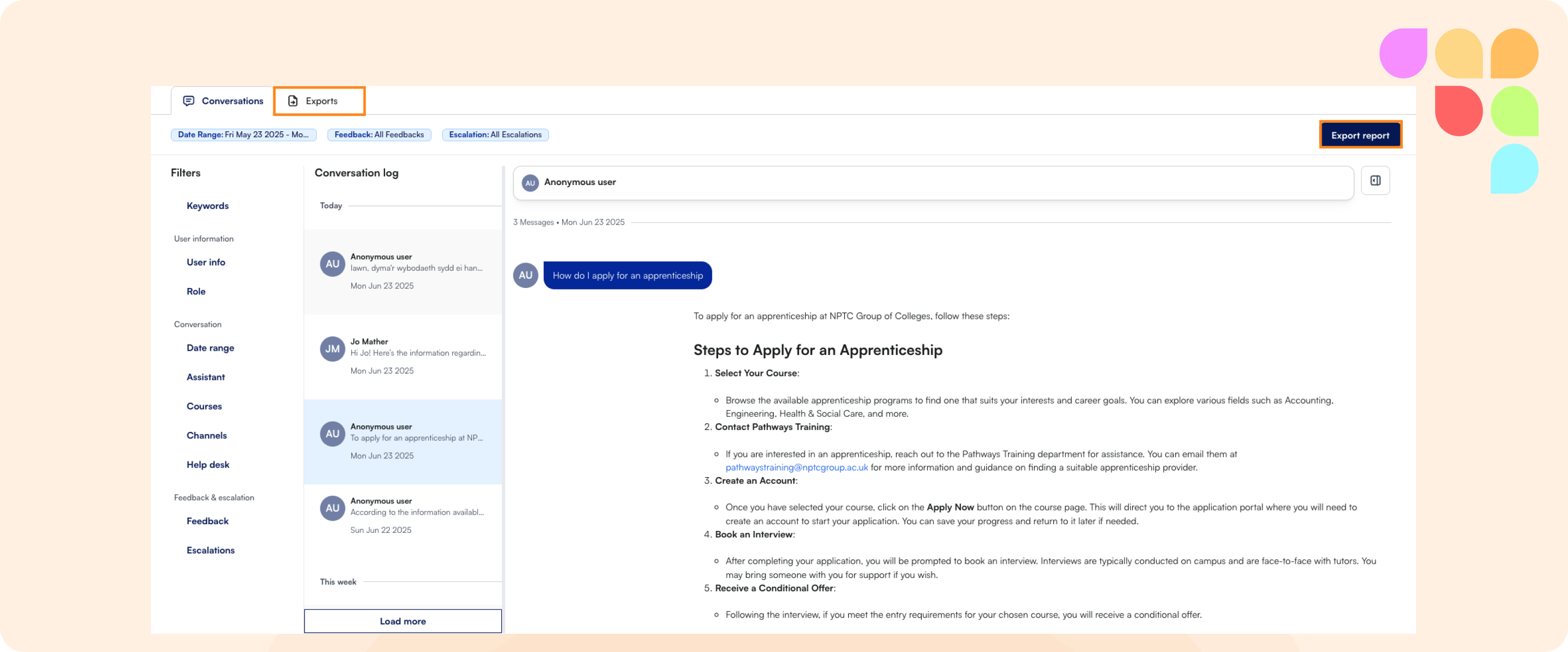
🔓Filterable Inbox Export with Anonymization
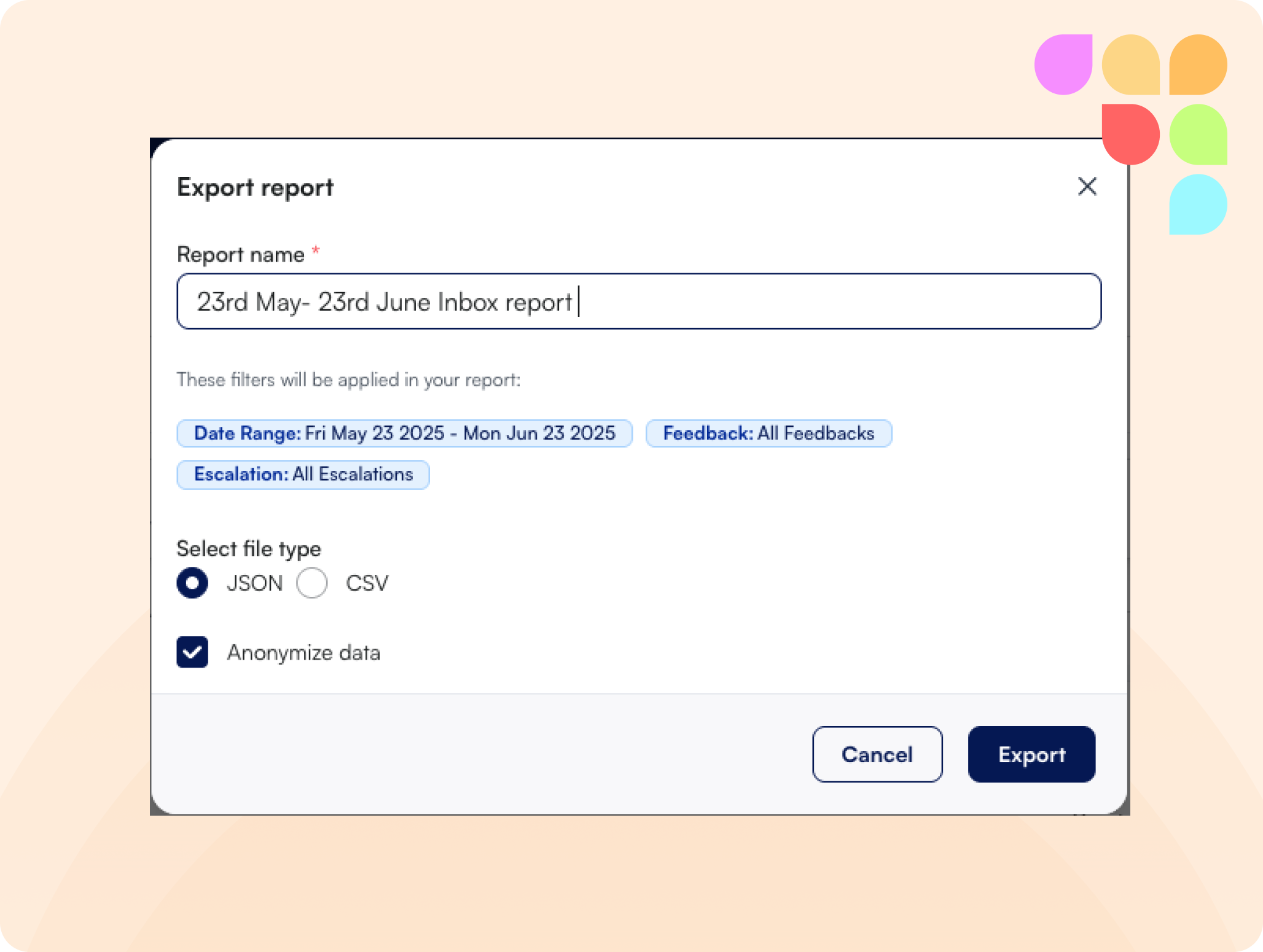
A new export feature enables users to filter inbox entries and export them in CSV or JSON format. Users can also anonymize the exported data to protect sensitive information, empowering teams to analyze conversation data more effectively, while supporting privacy compliance and ease of downstream analysis.
🎮 Governance Logging for Exports
Every inbox export action is now logged, including the identity of the user who initiated the export, enhancing auditability and governance controls, making it easier to track data access and ensure responsible usage.
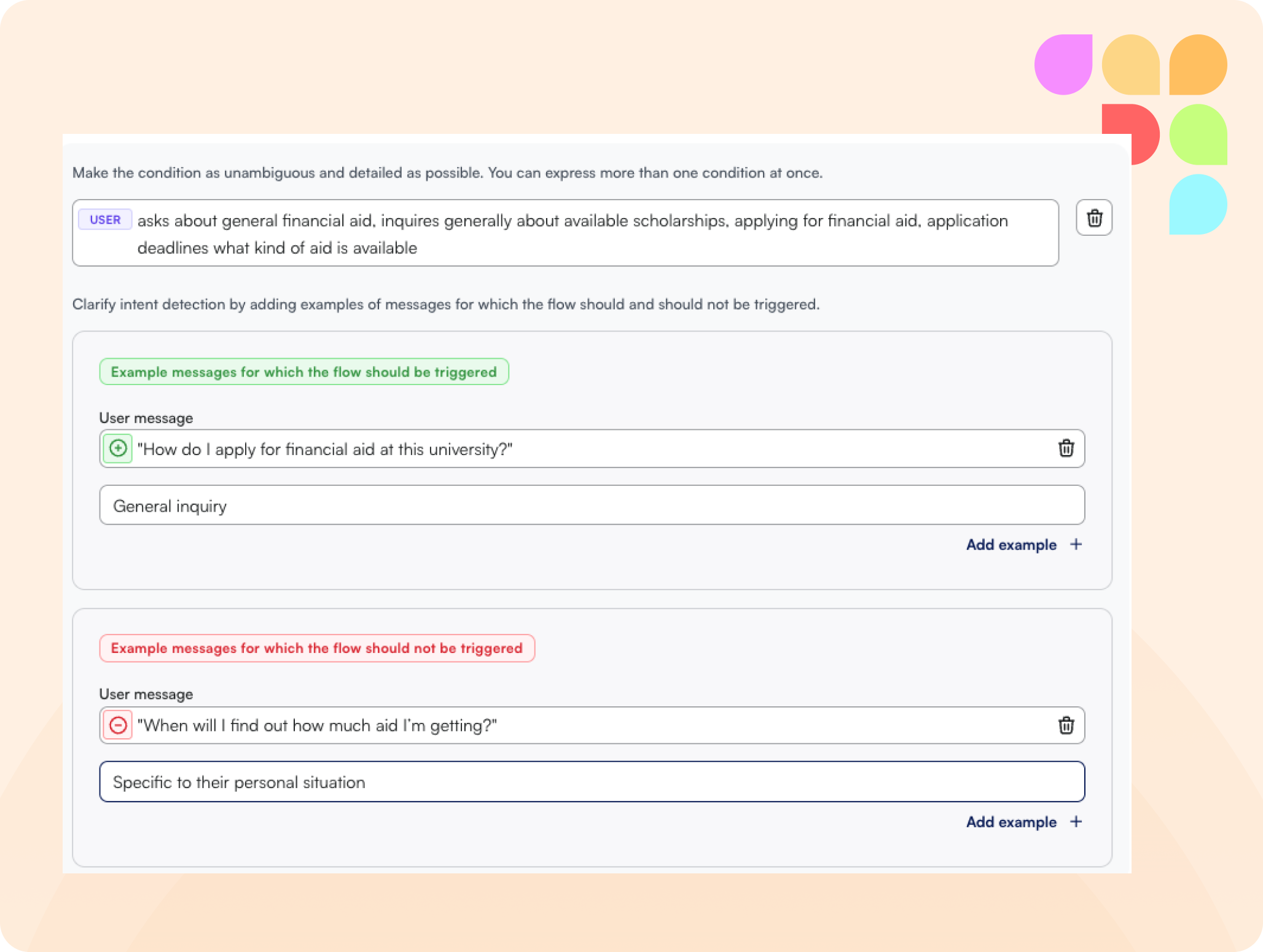
⏳Trigger examples in flows
Two new fields have been added to workflows: one for examples that should trigger the workflow, and another for those that should not. These examples help define the behavior boundaries of the automation, offering better predictability over workflow activations, reducing false positives and missed triggers.
🛠️ Improvements
🙏 Connect live API access: course assistants
You can now connect API access directly to the course assistant front-end. A clear label indicates when API access has been successfully linked.
🪳Bug Fixes
🔙 Stabilized content connection
While connecting LMS course content, users cannot navigate backwards ensuring that the connection remains intact, this results in a smooth and reliable setup experience, reducing user frustration and preventing incomplete or failed LMS integrations.