
LearnWise changelog
Release of July 8th, 2025
✨ New Features
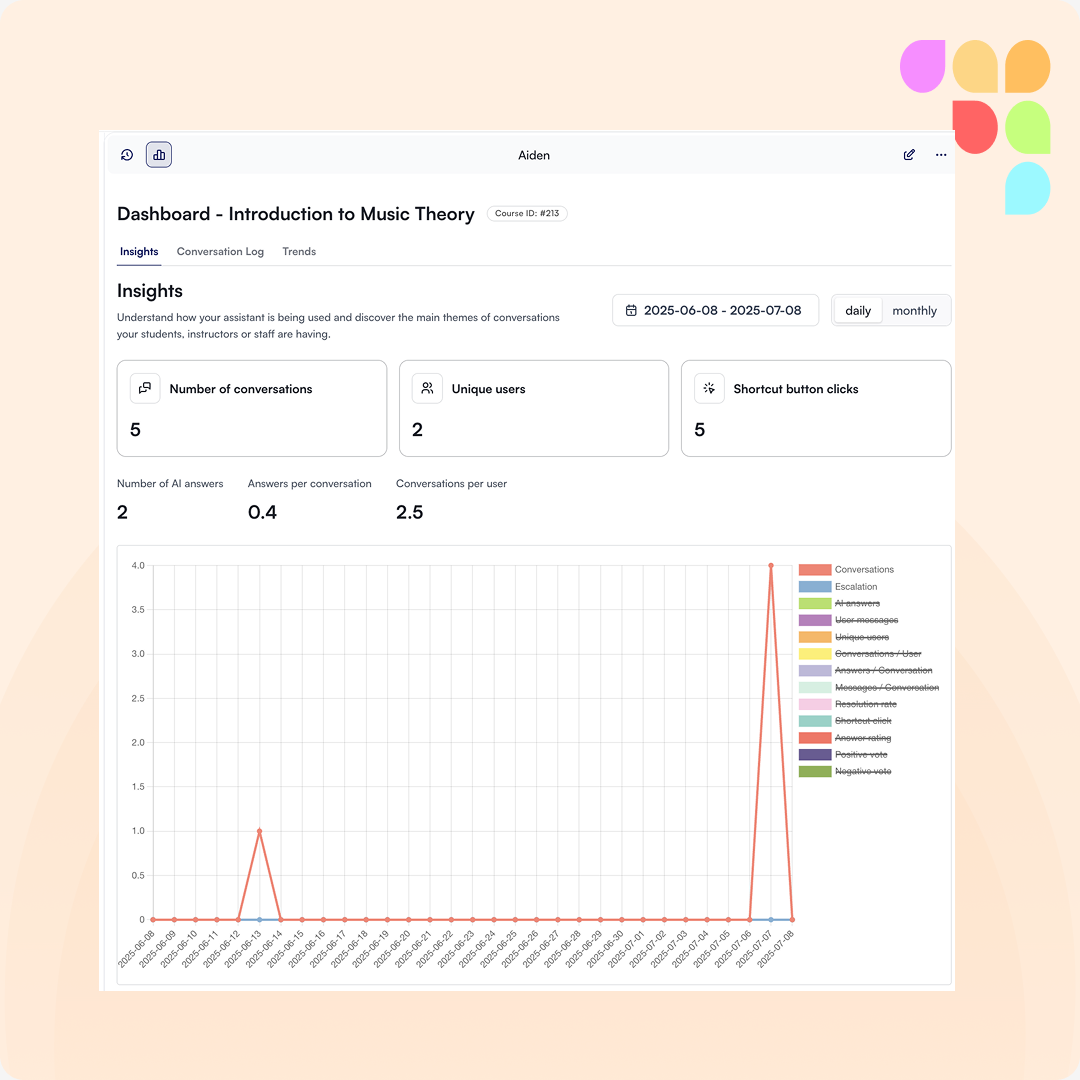
Instructor Insights Dashboard
Instructors can now access a dedicated dashboard that provides visibility into how their course content is being used within the AI assistant. This enables data-informed decisions and targeted course improvements. Admins control what’s shared with teachers at the course level—giving teams both flexibility and actionable insight to enhance learning and student experience.
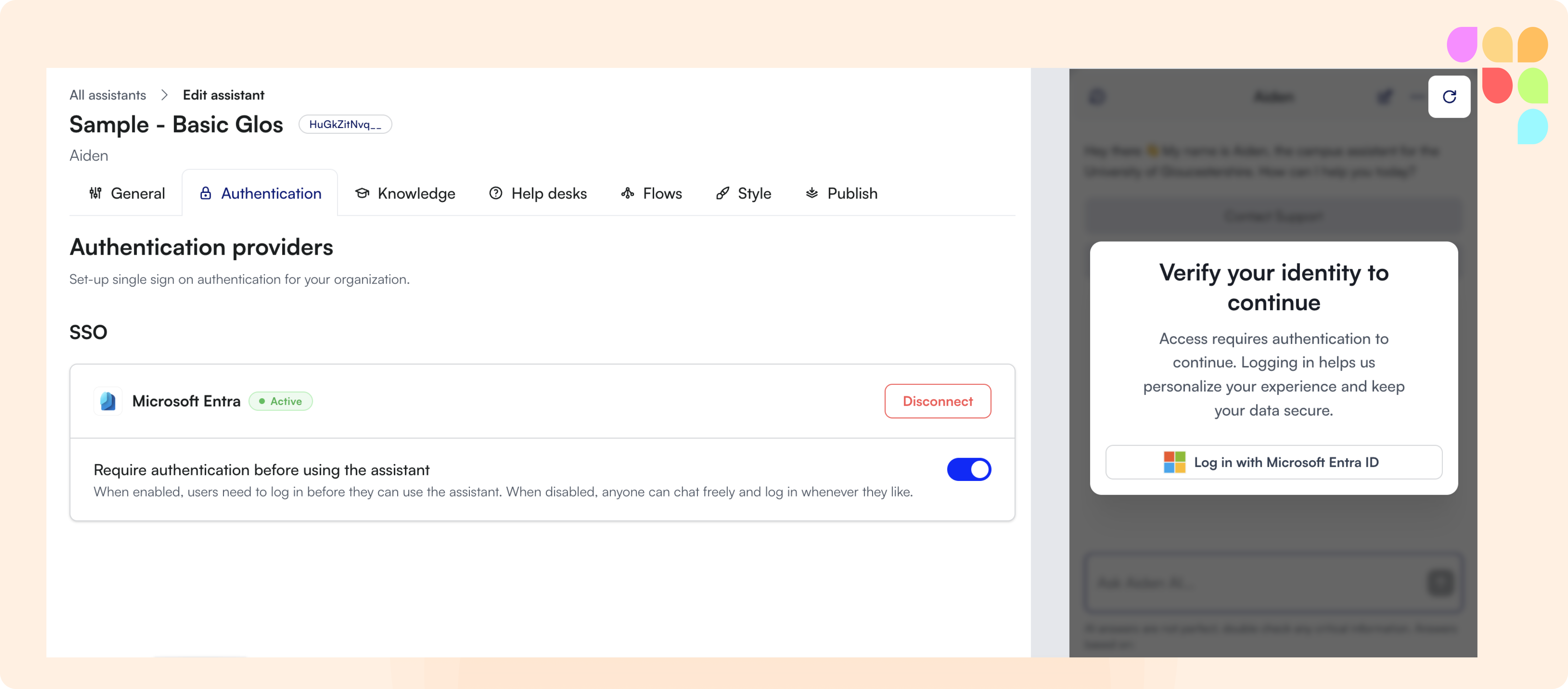
SSO with Microsoft Entra to utilize LearnWise assistant
We've added support for Single Sign-On with Microsoft Entra. Users can now log in to the AI assistant using their Microsoft credentials—ensuring streamlined access, improved data governance, and enterprise-grade security. A key step forward in supporting privacy and compliance requirements.
🛠️ Improvements
Improved Audit Clarity in Inbox Exports
Inbox export logs now display both first name and surname for admin users, replacing the previous first-name-only format. This eliminates ambiguity and ensures accurate tracking—especially in teams with users sharing the same first name.
Iconography Added to Dashboard Sub-Tabs
We've introduced contextual icons to key sub-tabs—General, Authentication, Knowledge, Help Desks, Flows, Style, and Publish. These visual cues enhance navigation by making each section instantly recognizable, streamlining user experience and reducing time-to-action.
🪳Bug Fixes
Default Assistant Flow Triggering Fixed
We’ve resolved an issue where the default assistant flow was activating even when users asked unrelated questions. The flow will now only trigger in response to relevant queries about the assistant’s capabilities—ensuring more accurate, context-aware interactions.
Chat Launch Button Respects Padding Settings
A bug that caused the chat launch button to ignore icon padding rules when resized has been fixed. You can now confidently adjust the size and placement of your assistant icon—knowing it will render exactly as intended.