
LearnWise changelog
Release of August 18th, 2025
✨ New Features
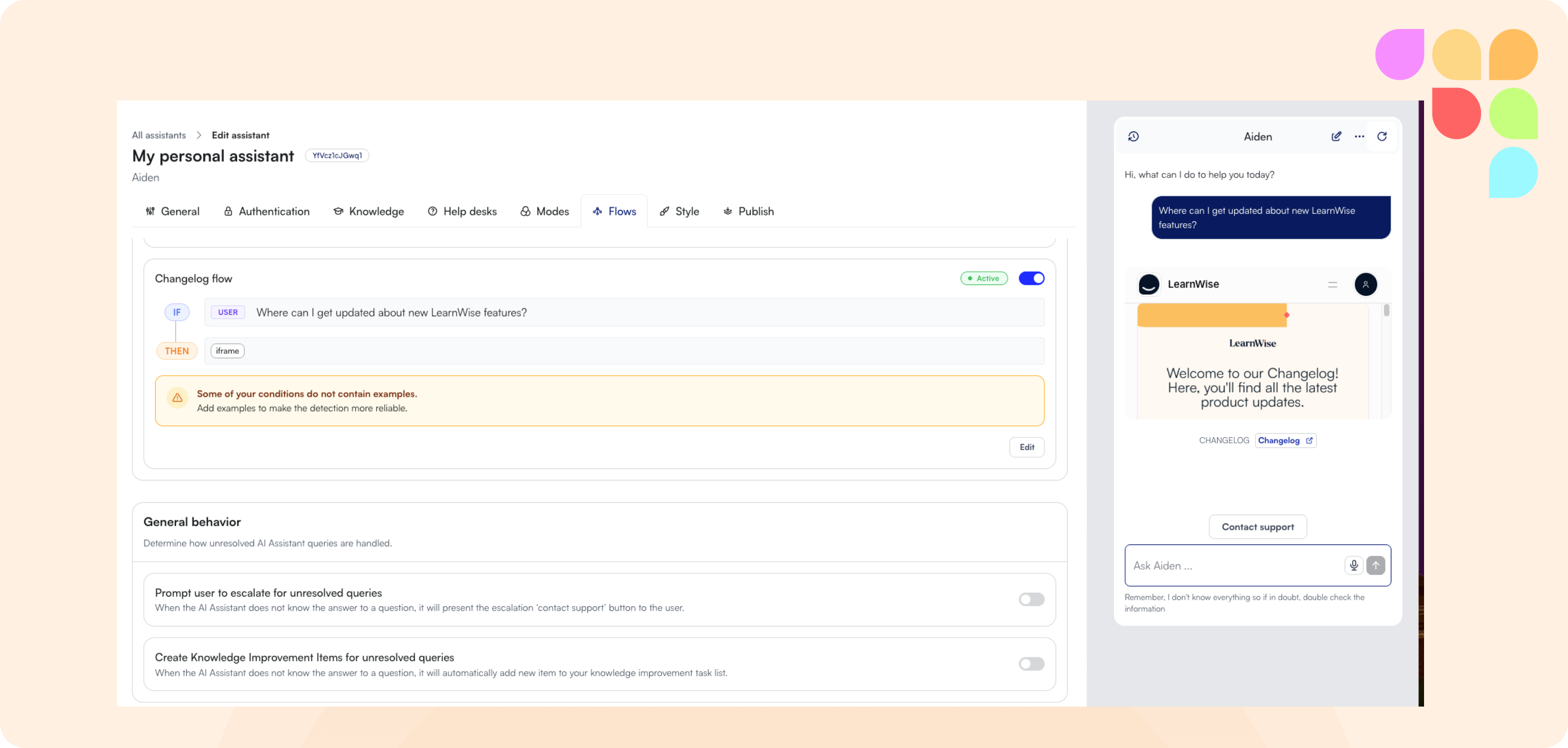
Embed External Websites via i-Frame
You can now embed an i-frame directly into a flow response, letting users view external websites, forms, or portals without ever leaving the chat interface. This makes the experience far more seamless, keeping learners engaged and reducing friction by eliminating unnecessary navigation.
🛠️ Improvements
Response Attribution for Workflows
When a workflow triggers a custom message, the assistant now labels the source as “Built-in response”. This makes it clear that the reply is intentional and created by the AI assistant, helping users better trust and understand the context of automated responses.
Brightspace & Live API Access in One Flow
You can now add a connection to Brightspace and enable Live API access within a single flow on the front end. This simplifies setup, reduces steps, and makes it faster to get integrations up and running.
🪳Bug Fixes
Chat Window Alignment with Launch Button
Previously, adjusting the launch button size, padding, or icon caused the chat window to ignore the intended 10–30px margin from the navbar, leading to misaligned positioning. This issue has been resolved so the chat window consistently respects the defined margin regardless of button styling.
Voice Mode Toggle Permissions
Users with read-only (data viewer) access were previously able to toggle the voice mode setting. This has been fixed — voice mode settings are now restricted in line with other permissions, preventing confusion and ensuring only authorized roles can make changes.
🔄 Rubric Scrollbar Overlap in Refresh Modal (Feedback tool)
In the feedback refresh modal, the rubric scrollbar previously overlapped the footer when the sidebar width was reduced. This has been corrected — the scrollbar now behaves as expected, keeping the footer fully visible and improving usability in narrower layouts.
🔄 Rubric Scores Persist When Generating Feedback (Feedback tool)
Previously, when faculty entered grades using the rubric and then generated AI feedback, the selected scores were reset to zero. This forced faculty to re-score assignments and created uncertainty about whether initial grades were factored into the feedback. This has been fixed — rubric scores now persist when generating feedback, ensuring accuracy and saving time.