
LearnWise changelog
Release of August 4th, 2025
✨ New Features
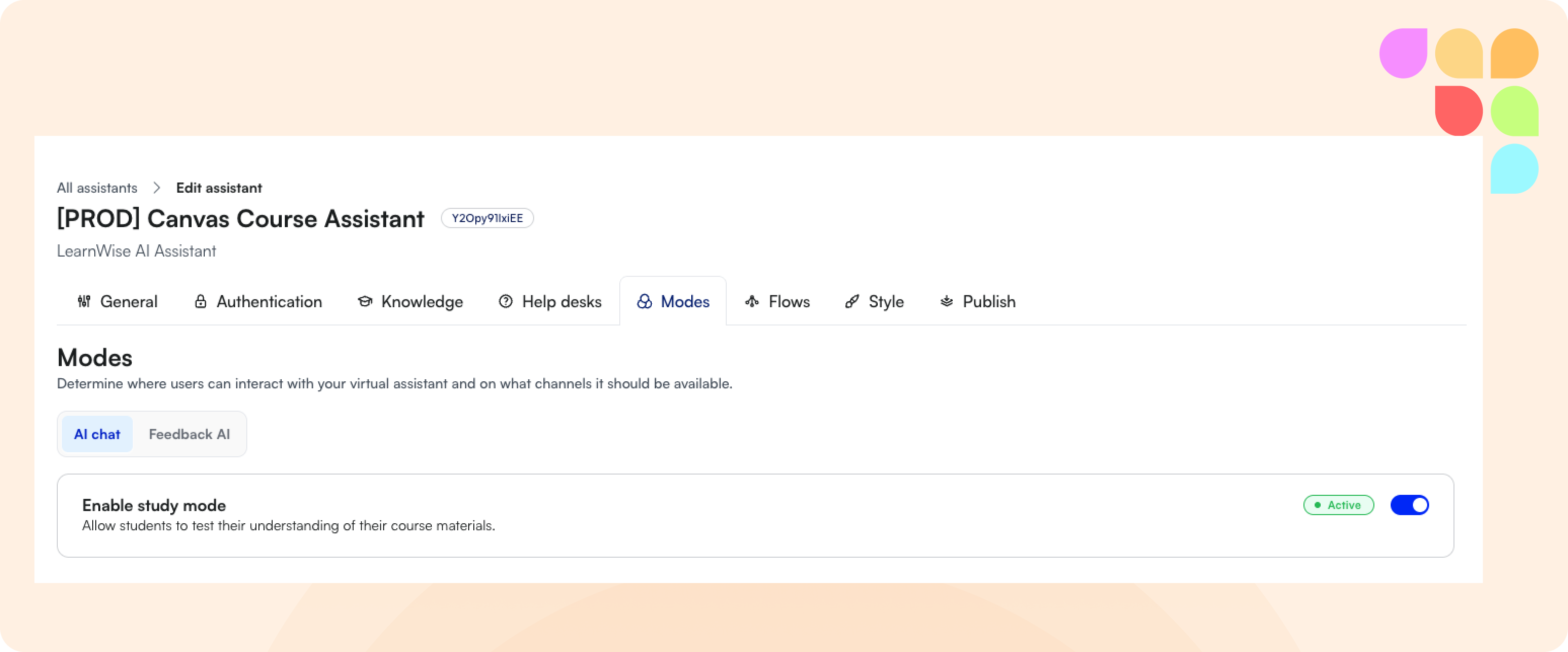
Flexible Mode Controls in Dashboard
You can now easily enable or disable Study Mode for the Course Assistant and Feedback Mode for the Feedback Assistant directly from your admin dashboard. This removes the need to manage client IDs, keys, or secrets, giving you faster setup and greater control over which modes are applied.
🛠️ Improvements
Flow Explanations Warning
We now display a warning when a flow is missing an explanation. While not required, adding explanations improves clarity and helps the AI model become more robust, ensuring smoother and more effective flows.
Auto-Expanded Teacher Insights Settings
When enabling Teacher Insights in the Publish tab, settings now auto-expand to ensure roles and insight types are configured. This prevents missed setups and guarantees insights display correctly in the Course Assistant.
🪳Bug Fixes
Close Button for Long Assistant Names
Resolved an issue where the close (X) button did not work when assistants had very long names. The button now renders and functions correctly, regardless of name length.
Link Text in Assistant Disclaimers
Fixed an issue where links in assistant disclaimers appeared larger than the surrounding text. Links now align seamlessly with the rest of the disclaimer content.