
LearnWise changelog
Release of December 8th, 2025
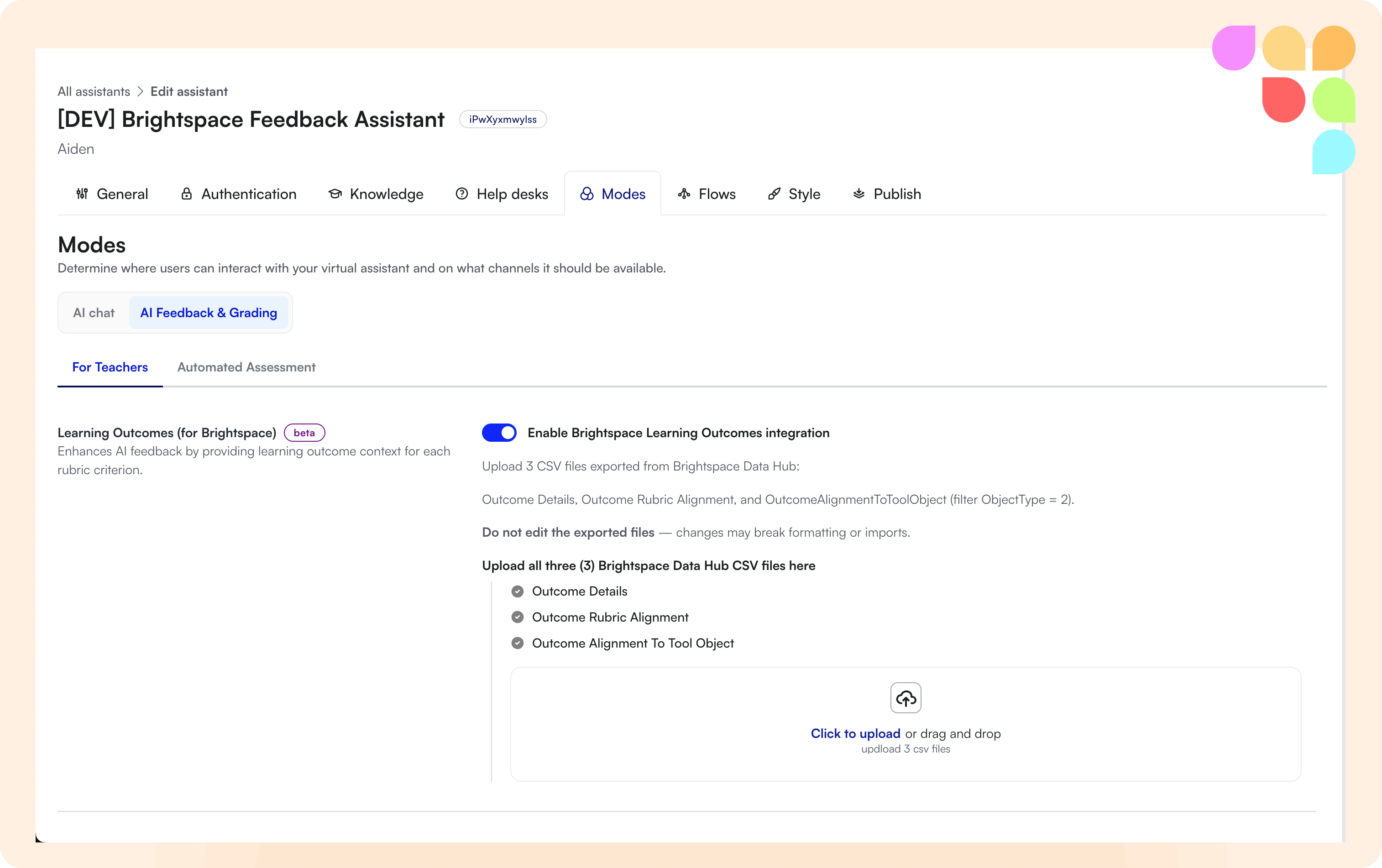
Learning Outcomes in AI Feedback (Brightspace)
You can now upload and integrate Course Learning Outcomes from Brightspace into your AI Feedback pipeline. The system automatically maps outcomes to rubric criteria and provides outcome-aligned feedback to students, helping ensure assessments stay connected to course objectives.
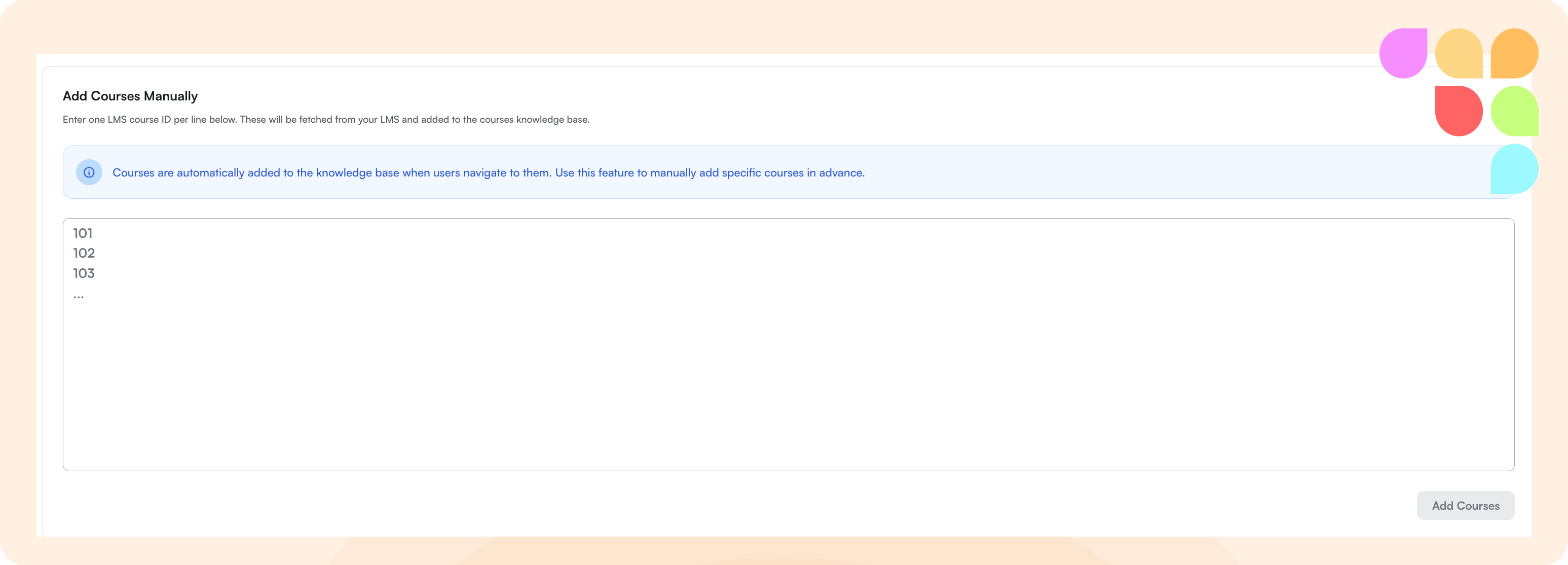
Pre-Load Courses Manually
Admins can now manually add LMS courses by ID, allowing course content to be fetched in advance before students access the assistant. This eliminates the 2-15 minute wait when students first open the LTI or cross-course chat, ensuring tutoring content is ready immediately.
Content Access Control (Moodle)
Implemented adaptive release content filtering for Moodle to ensure students only see content they have access to, respecting prerequisites, date restrictions, and completion requirements.
🛠 Improvements
Feedback for Assignments Without Rubrics
The system now provides meaningful feedback even when assignments lack configured rubrics, using a fallback mechanism to ensure students receive guidance regardless of assignment setup.
Improved Error Messages for Feedback Tool
Error messages in the AI Feedback tool now clearly explain why an assignment isn't ready for grading, specifying issues like unsupported file types or missing rubrics instead of showing generic "not ready" messages.
Updated Modes Interface
The Modes interface has been redesigned with consolidated settings, clearer labeling, and consistent styling across all configuration sections for easier navigation and setup.
Enhanced Helpdesk/Escalation UI
Escalation option creation and editing now happens in a right panel with auto-saving fields, improved availability customization, and clearer organization of helpdesk settings.
Insights Export System
All insights tabs now support unified export functionality with proper filtering, naming, and file type selection. Exports are tracked in a dedicated Exports tab where you can monitor status and download completed reports.
Change Course Selection During Cross-Course Conversations
Users can now change their course selection mid-conversation when using cross-course chat, providing more flexibility without needing to start a new conversation.
Weighted Overall Feedback Comments
Overall feedback comments are now consistently weighted by the point value of each rubric item, ensuring that higher-value criteria have appropriate influence on the summary feedback.
Geographic Context in Inbox
The system now displays general location information (country and city) in the inbox, helping you better understand the geographic distribution of your students and provide more contextually relevant support.
ServiceNow Dependent Dropdown Fields
Added support for dependent dropdown options in ServiceNow integrations, allowing category selections to dynamically determine available subcategories.