
LearnWise changelog
Release of February 23rd, 2026
✨ New Features
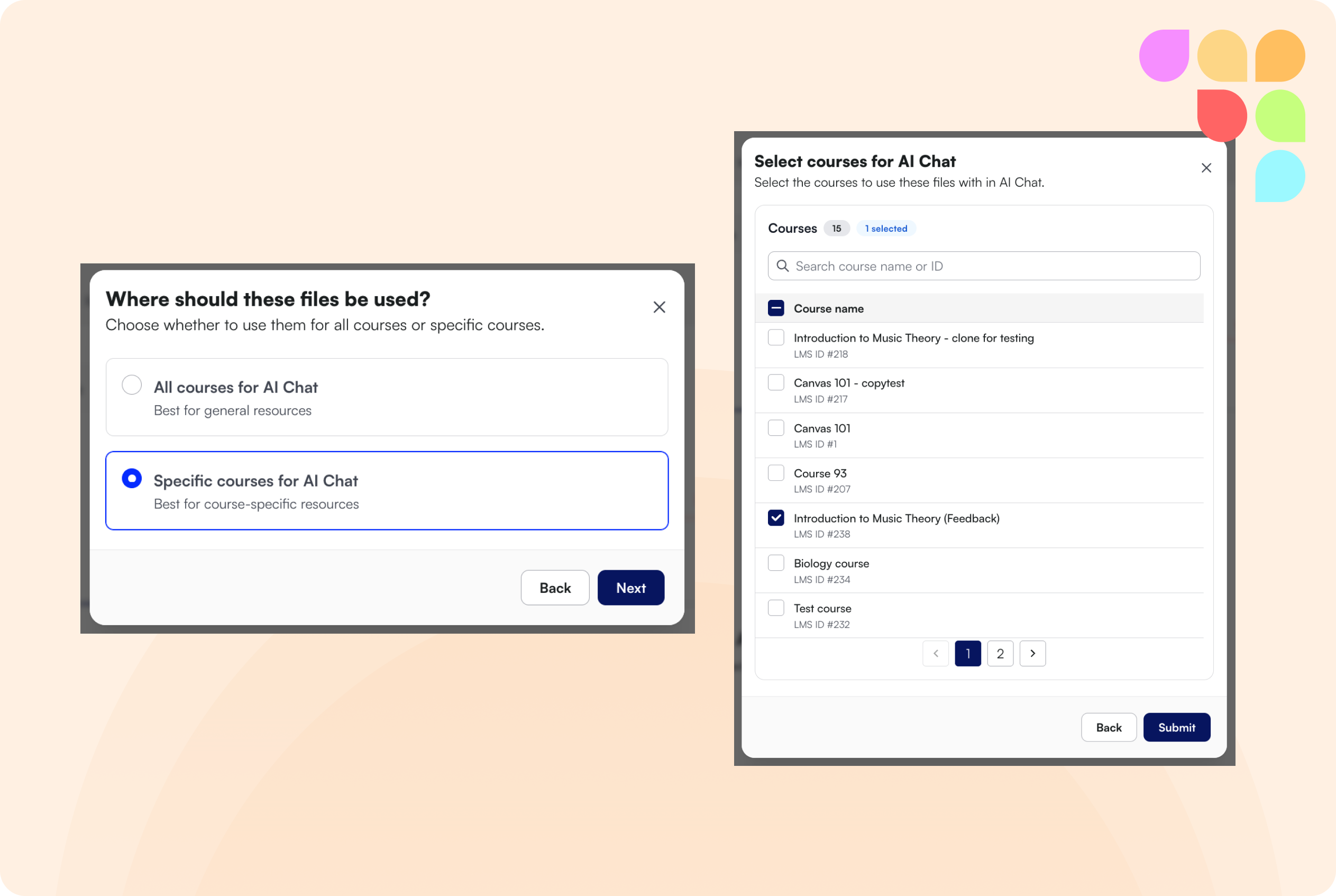
Course-Specific File Uploads
Admins can now upload files (PDF, DOC, DOCX) directly to specific courses via a new Course Files tab in the assistant knowledge settings, without needing a full course scan. Files can be tagged to all courses or specific courses only.
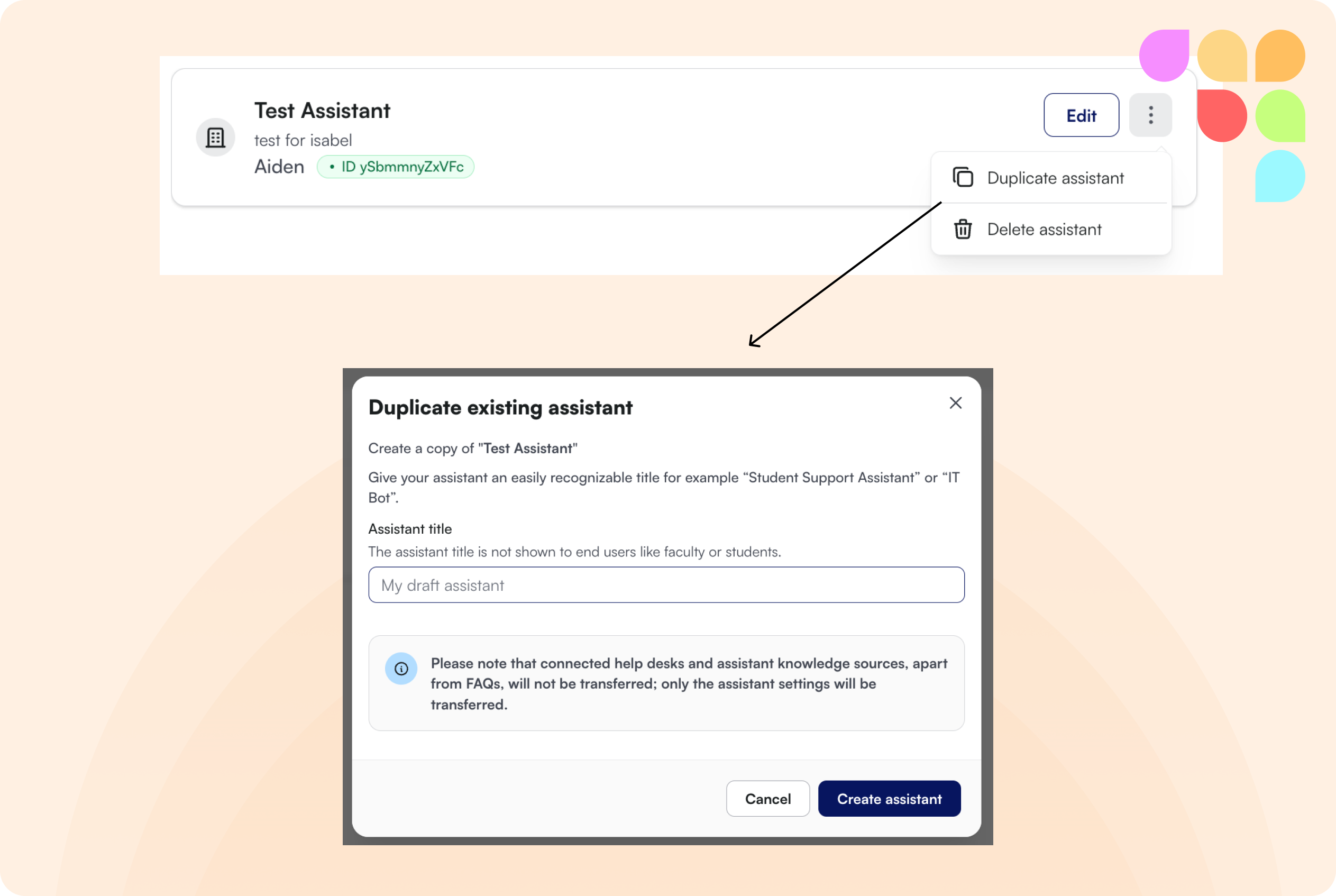
Duplicate Assistant
Admins can now duplicate an existing assistant from the All Assistants screen. General settings, styles, flows, and FAQs are copied to the new assistant. Note that knowledge sources and help desks are not copied at this stage.
Filter Improvements by Course ID
The improvements dashboard now supports filtering by LMS course ID. Filters are also applied when exporting, so the Course ID column will be reflected in exports.
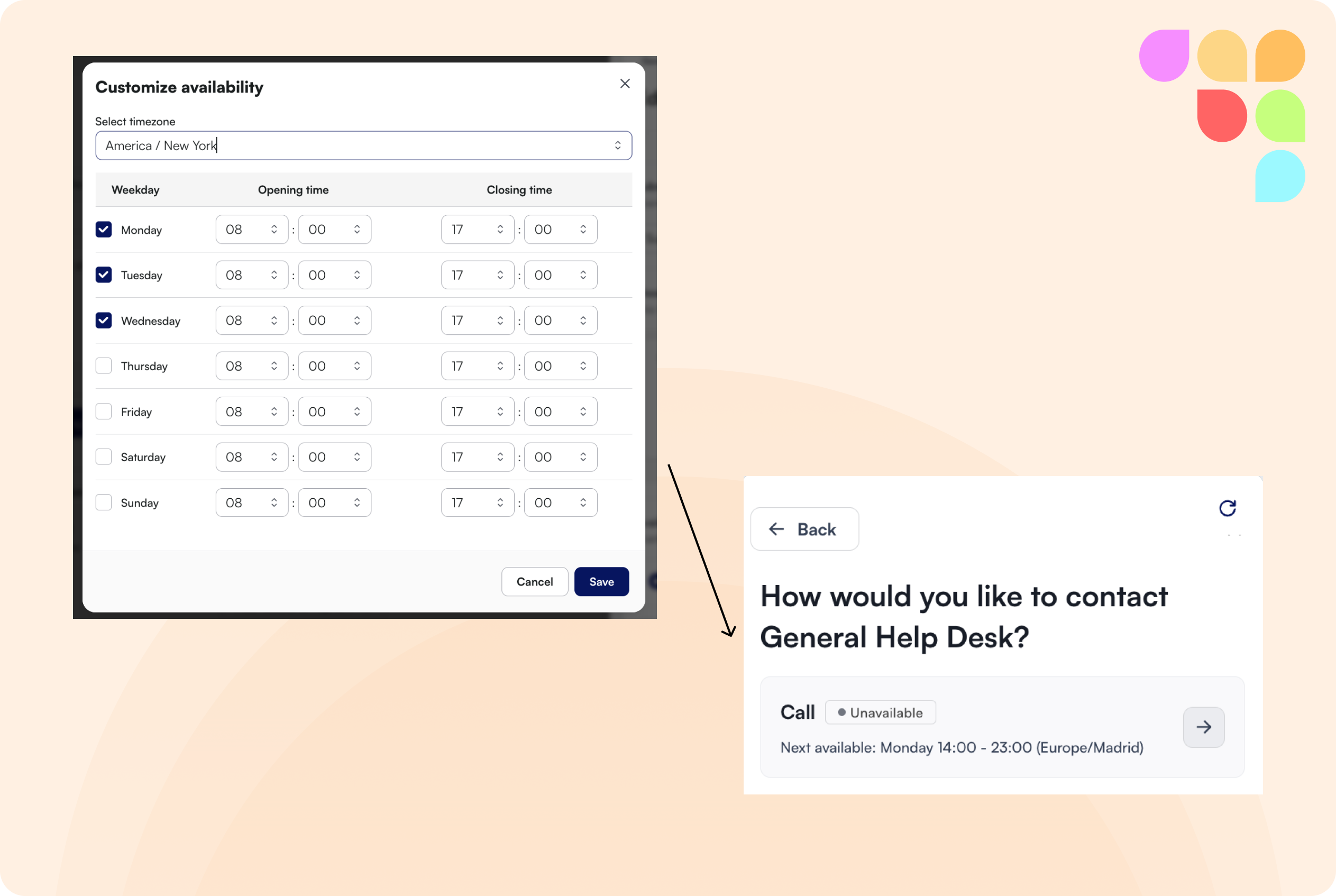
Helpdesk Availability Timezone
Admins can now set a timezone when configuring Help Desk escalation availability. The end user will always see opening times converted to their own local timezone.
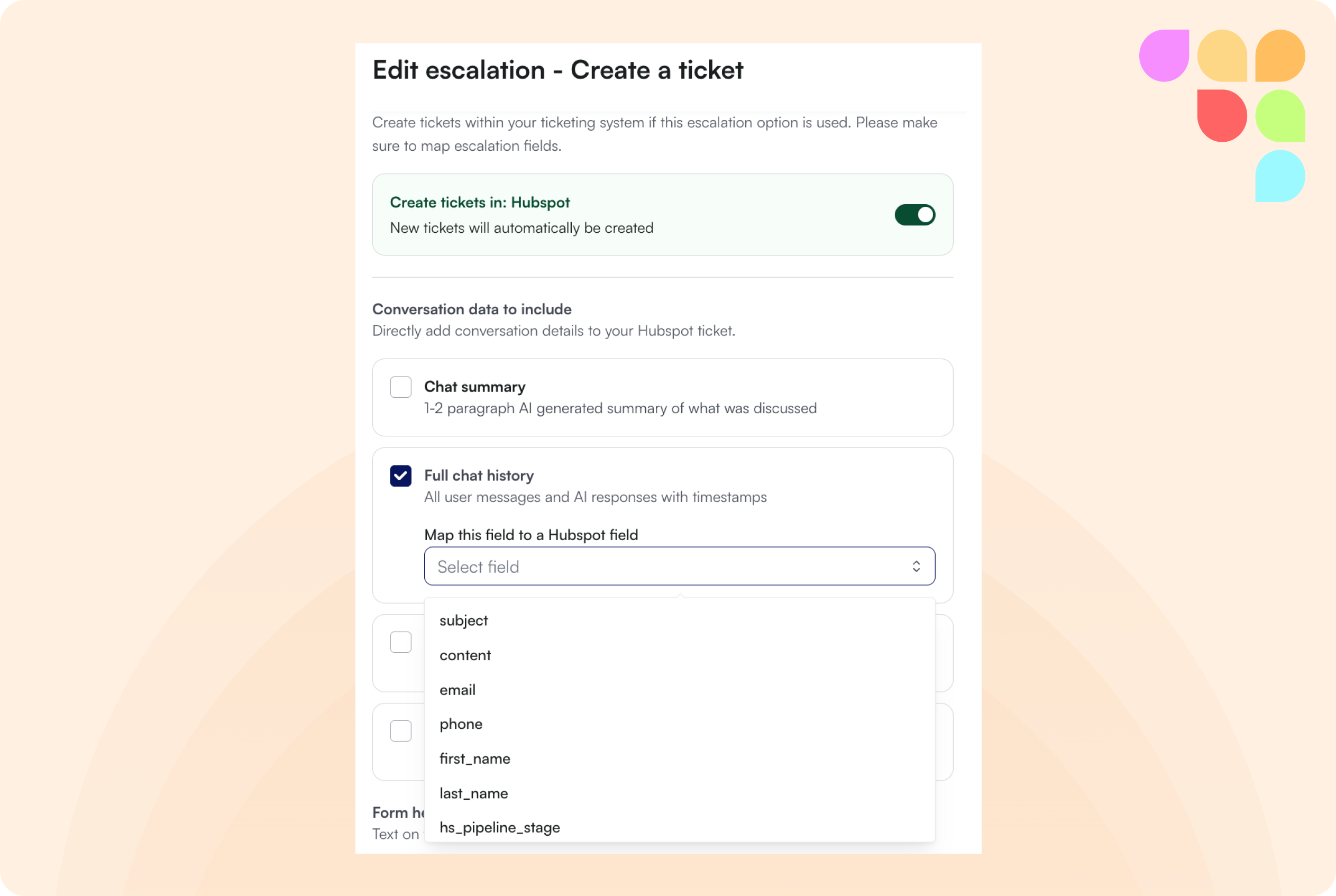
Push Conversation Data to Escalation Tickets
When escalating to a Help Desk, admins can now choose to push specific parts of the conversation into ticket fields, including a chat summary, full conversation history, and individual pieces of user metadata (e.g. name, email).
🛠 Improvements
Faster Chat Responses
Reduced delay in response rendering so answers appear faster, particularly for longer responses.
AI Feedback Quality and Reliability
Several improvements to the feedback generation pipeline, including sharper feedback quality with better rubric alignment and more reliable video submission handling.
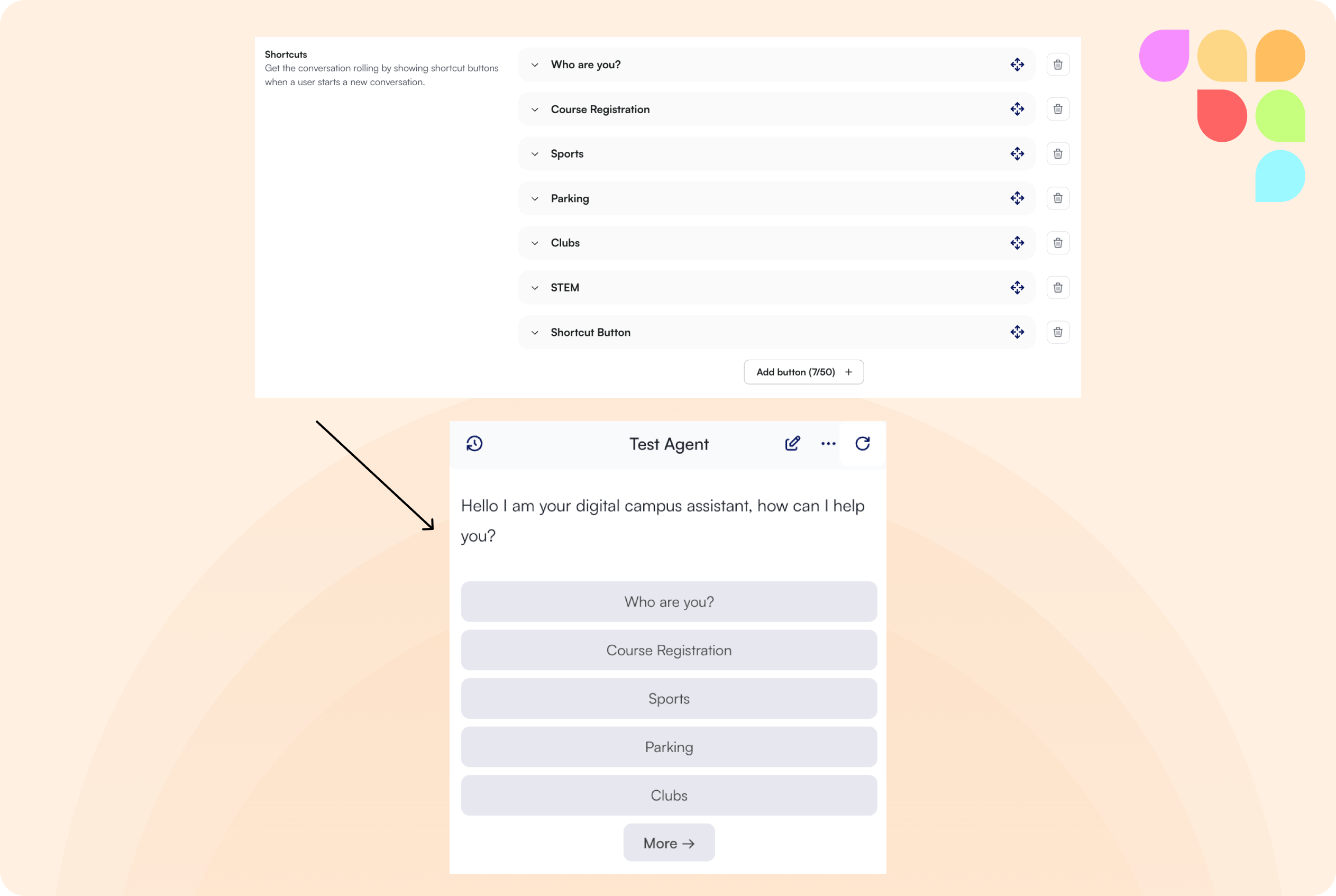
Increased Shortcut Button Limit
The limit on shortcut buttons has been increased to 50. When more than five buttons are configured, they are grouped under a "More" option in the chat interface to keep things clean.
Accessibility Improvements
Several accessibility fixes across the end-user front-end, including support for 200% zoom with correct text magnification and improvements for screen reader users.
Moodle: Media Files in Online Text Submissions
Media files embedded in Moodle online text submissions are now processed and included in feedback generation.
MS Teams: Exclude Student Posts from Knowledge
The Teaching and Learning Assistant can now be configured to ignore student-generated posts across all MS Teams channels and announcements.