
LearnWise changelog
Release of March 9th, 2026
✨ New Features
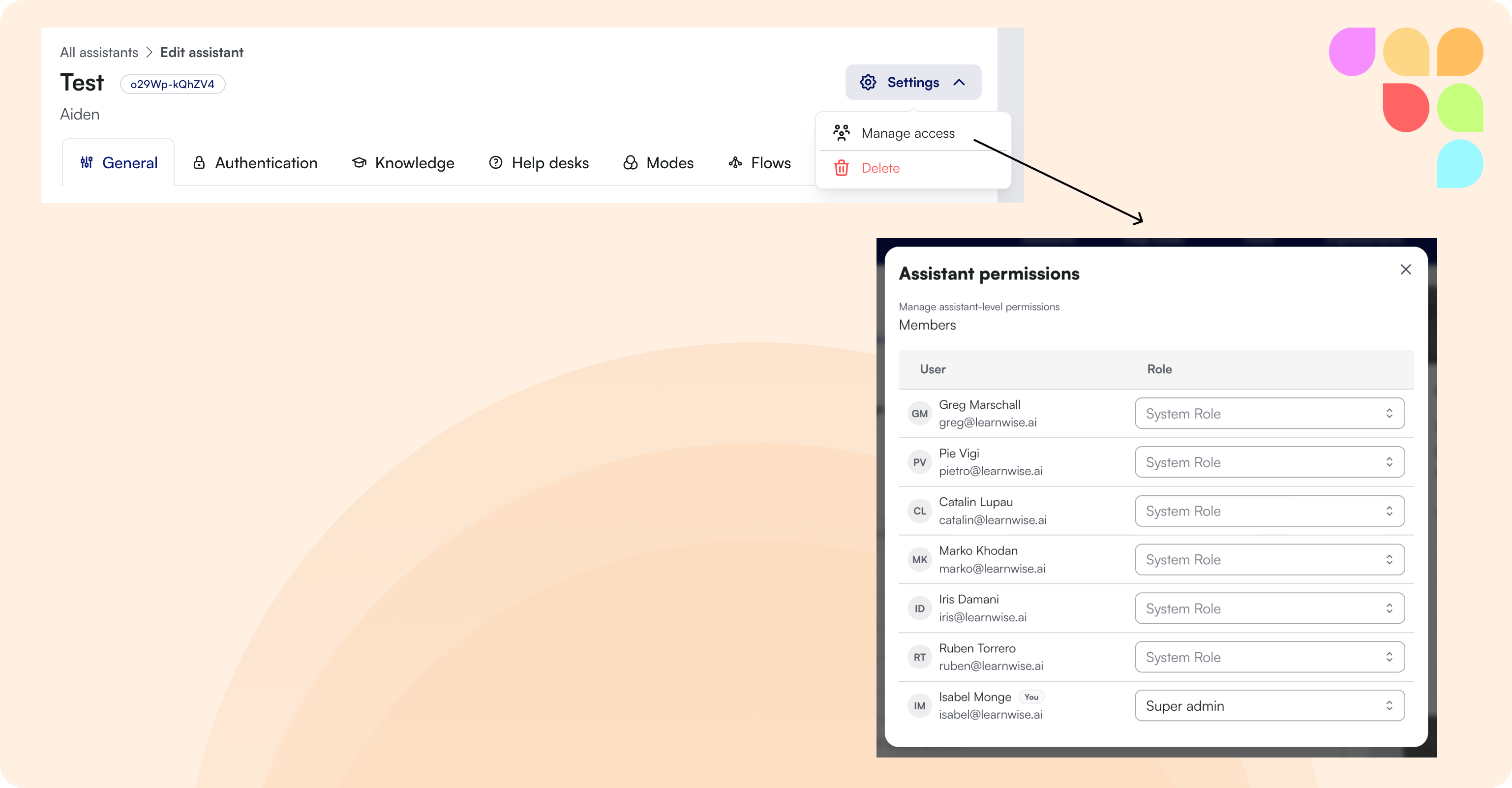
Assistant-Level Admin Permissions
Admins can now be assigned permissions on a per-assistant basis, rather than only at the organization level. This lets institutions give specific staff access to manage individual assistants, for example different departments or teams managing their own assistants independently, without granting org-wide access.
📄 “What are the different roles that are available in the LearnWise dashboard?”
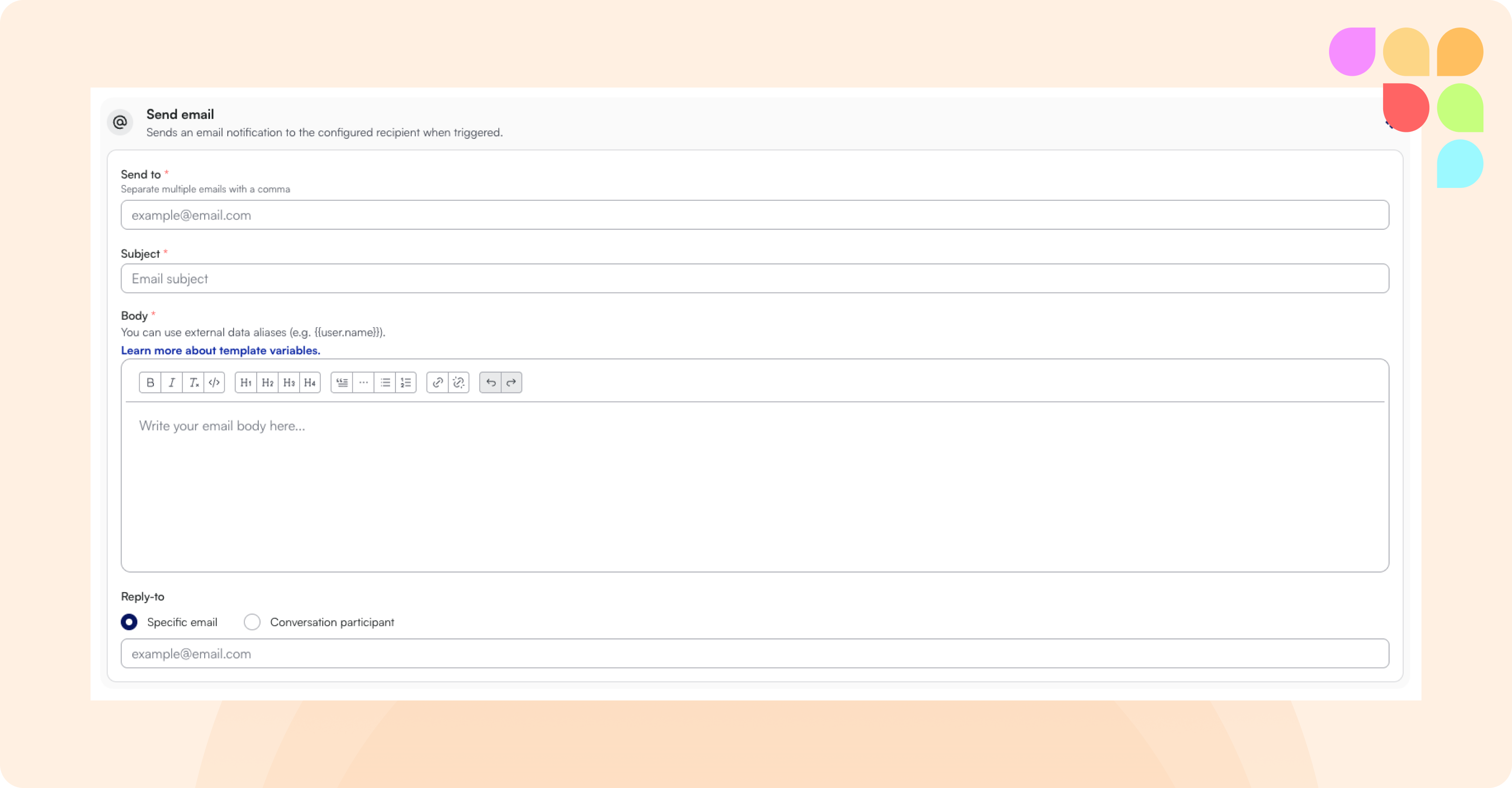
Workflows: Send Email Action
A new workflow action that automatically sends an email when a workflow is triggered, no API setup required. Admins configure the recipient, subject, and body, and can insert dynamic fields like the user's name, email, course name, and course ID. Useful for scenarios like student-at-risk alerts, where a counsellor or staff member needs to be notified when a student flags they're struggling.
📄 “What are triggers and their corresponding responses in Flows?”
Configurable Font Size in the Assistant
Admins can now set a custom font size for the assistant chat interface. The setting is available in the admin panel under Assistants > Style, and it applies to chat messages, suggested questions, and follow-ups.
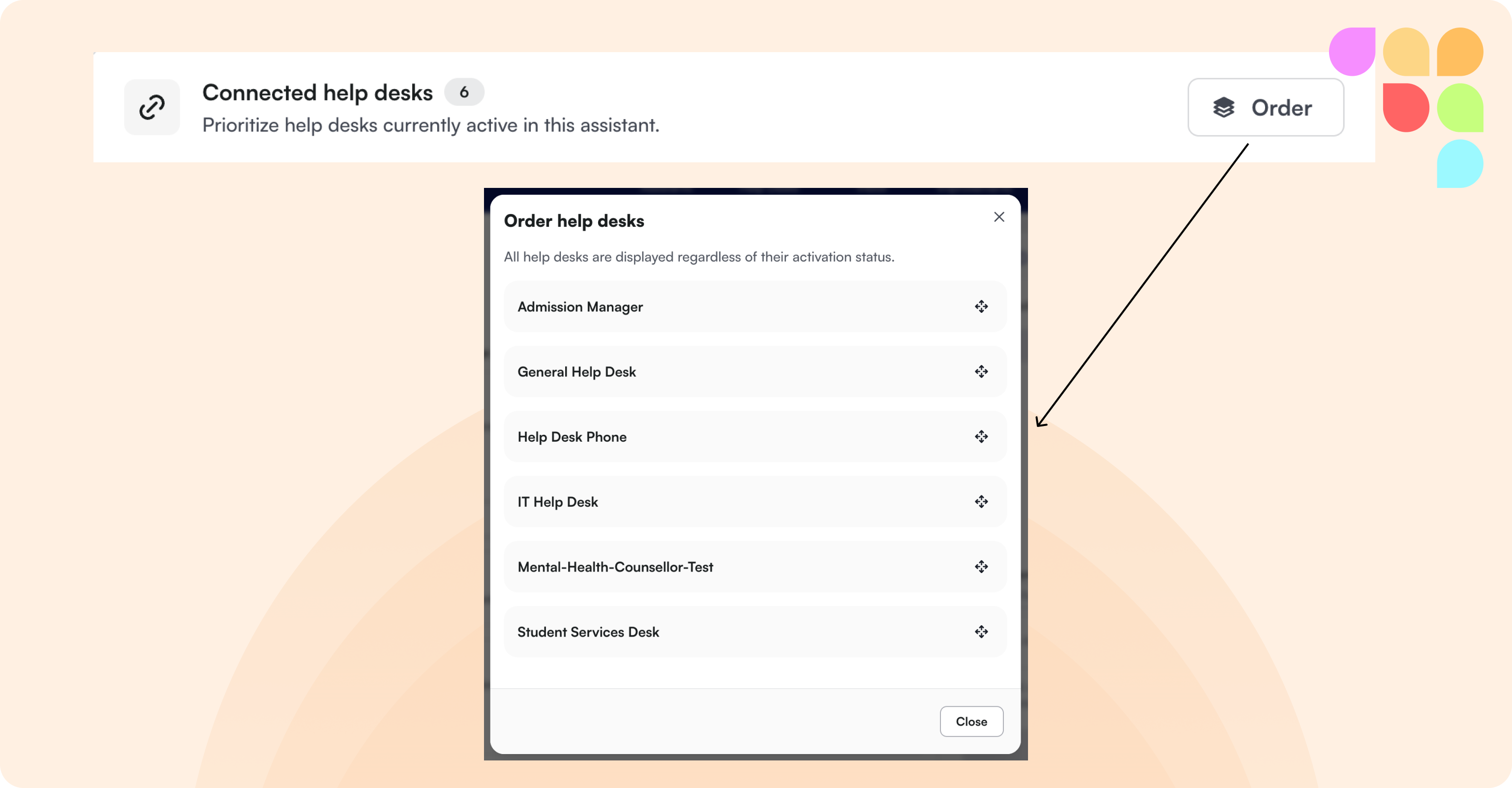
Reorder Help Desk Escalations and Fields
Admins can now manually reorder escalation methods and fields within help desks without having to delete and recreate them.
📄 “How to connect my assistant to a help desk?”
MS Teams: Live API Integration
The assistant can now connect to Microsoft Teams via API, giving students access to live course data including assignment deadlines, course content, announcements, and calendar events directly within their conversations.
🛠 Improvements
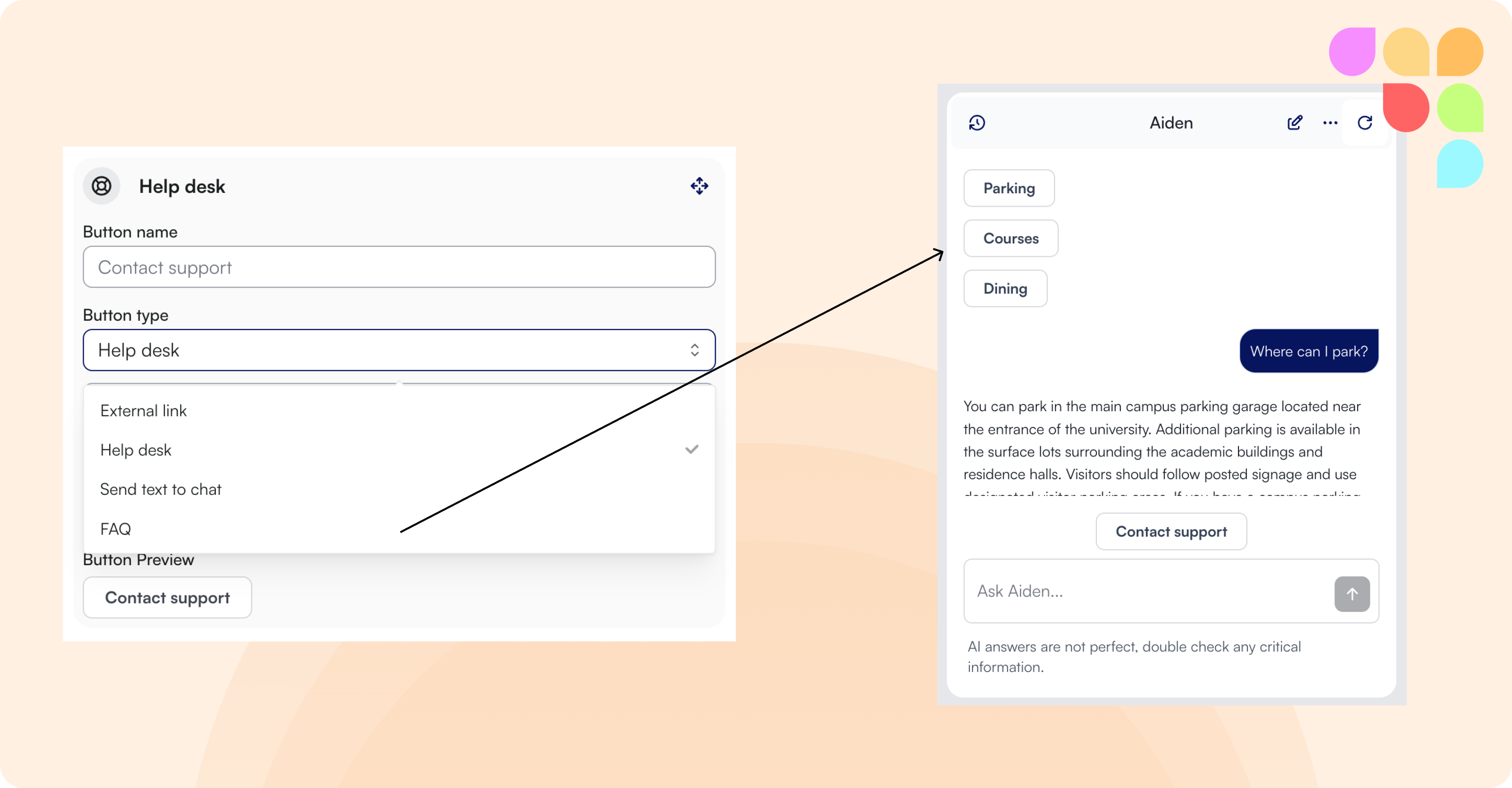
Flow Buttons: Send Text and FAQ
Flow buttons now support two new action types. "Send Text Into Chat" inserts a prompt into the chat on click, and "FAQ" displays a saved FAQ answer directly in the conversation. This lets admins build flows that guide students with follow-up prompts and instant answers.
Accessibility Improvements
We have been working through a third-party accessibility audit to bring the end-user interface up to WCAG 2.2 AA compliance. This release includes a batch of fixes from that audit, improving the experience for students using assistive technologies.