
LearnWise changelog
Release of May 18th, 2026
✨ New Features
New Ticketing Integration: TeamDynamix
LearnWise now supports TeamDynamix as a ticketing destination. Connect via the help desk settings, map escalation form fields to your ticket properties, and route student support requests directly into your existing workflow. Note: This is the first version of the integration. Support for additional field types may be extended over time.
New Knowledge Integrations: Zendesk & FreshService
Zendesk and FreshService can both now be added as application knowledge sources, letting your assistant draw on help center articles and portal content from either platform. Zendesk also supports ticketing: it can be connected as an escalation destination from the help desk settings, in addition to its use as a knowledge source.
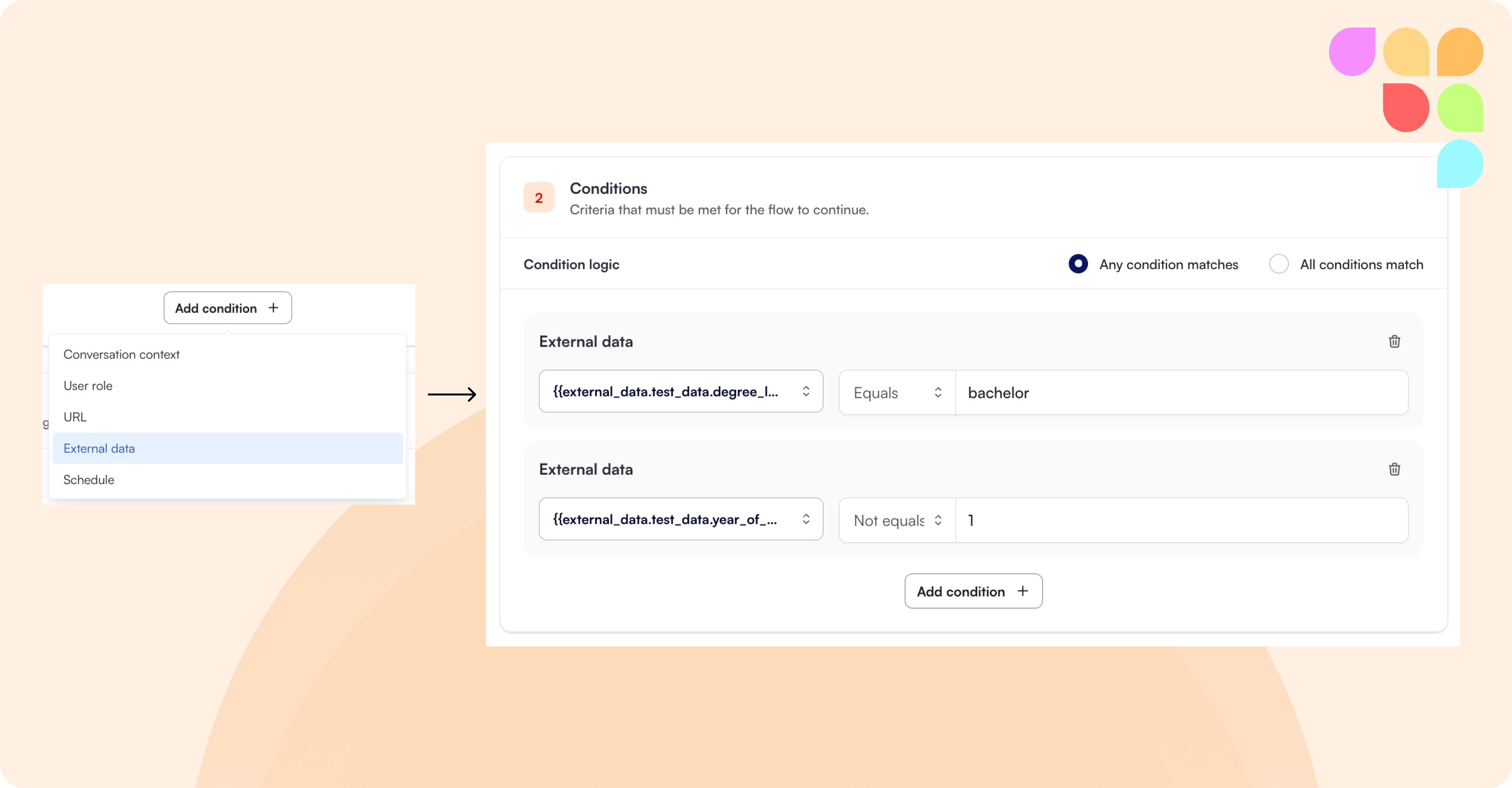
External Data in Flow Conditions & Actions
External data fields from CSV uploads or Entra/AD integration can now be used directly inside flows. Use student attributes such as program, enrollment status, GPA, or assigned advisor to conditionally trigger flows for specific users, and reference those same attributes in search instructions, custom messages, notifications, and email actions. Data is used to personalize responses without being exposed verbatim in the chat.
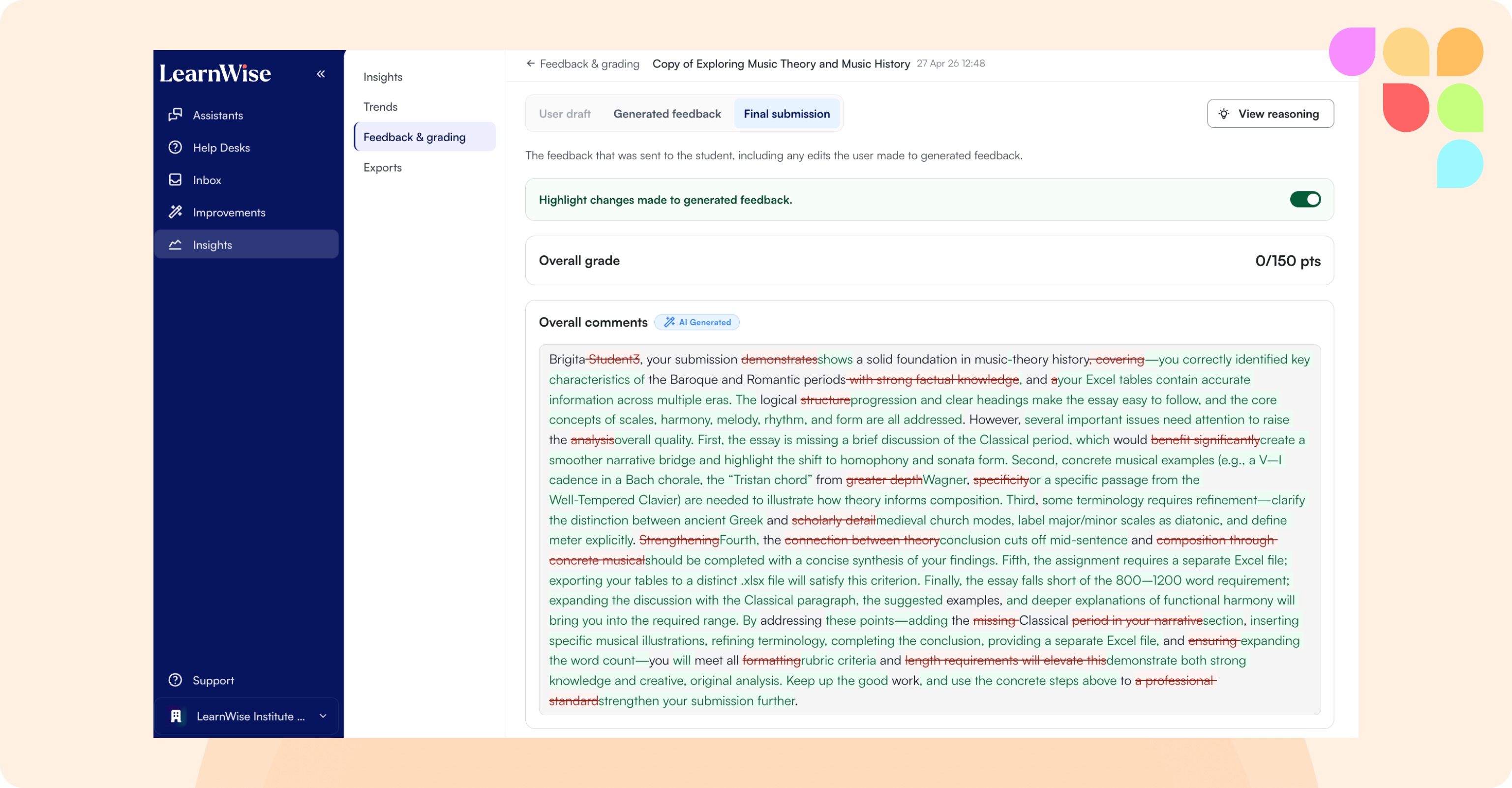
Feedback Dashboard: Original, Generated & Final Views
The feedback dashboard now shows three distinct states for each submission: the student's original draft, the AI-generated feedback, and the final feedback published to the student. Instructors can review the full lifecycle of a feedback submission in one place.
Self-Serve JSON Knowledge Re-import
Admins can now re-upload a new version of a custom JSON knowledge file directly from the knowledge settings, without needing to go through the LearnWise team. This applies to assistants that use custom JSON-sourced website knowledge.
🛠 Improvements
Articulate Rise SCORM Ingestion (Brightspace & Moodle)
Articulate Rise-authored SCORM packages embedded in Brightspace and Moodle courses are now ingested automatically as part of the standard course content sync. No additional credentials are required.
Book Resource Ingestion from Moodle
Moodle's book_resource content type is now included in course knowledge ingestion, closing a gap for institutions whose courses use this format.
Role Filter in Teacher Dashboard
The teacher insights dashboard now includes a role filter, allowing instructors and admins to view activity and conversations broken down by user role (e.g. students vs. instructors). Applies to both the general insights view and the conversation log.
H5P: More Tolerant Text Answer Matching
Text-input H5P activities now accept a wider range of valid answers, including minor spelling variations and word-form differences (e.g. verb vs. noun of the same root). This reduces incorrect rejections, particularly for non-native English speakers.
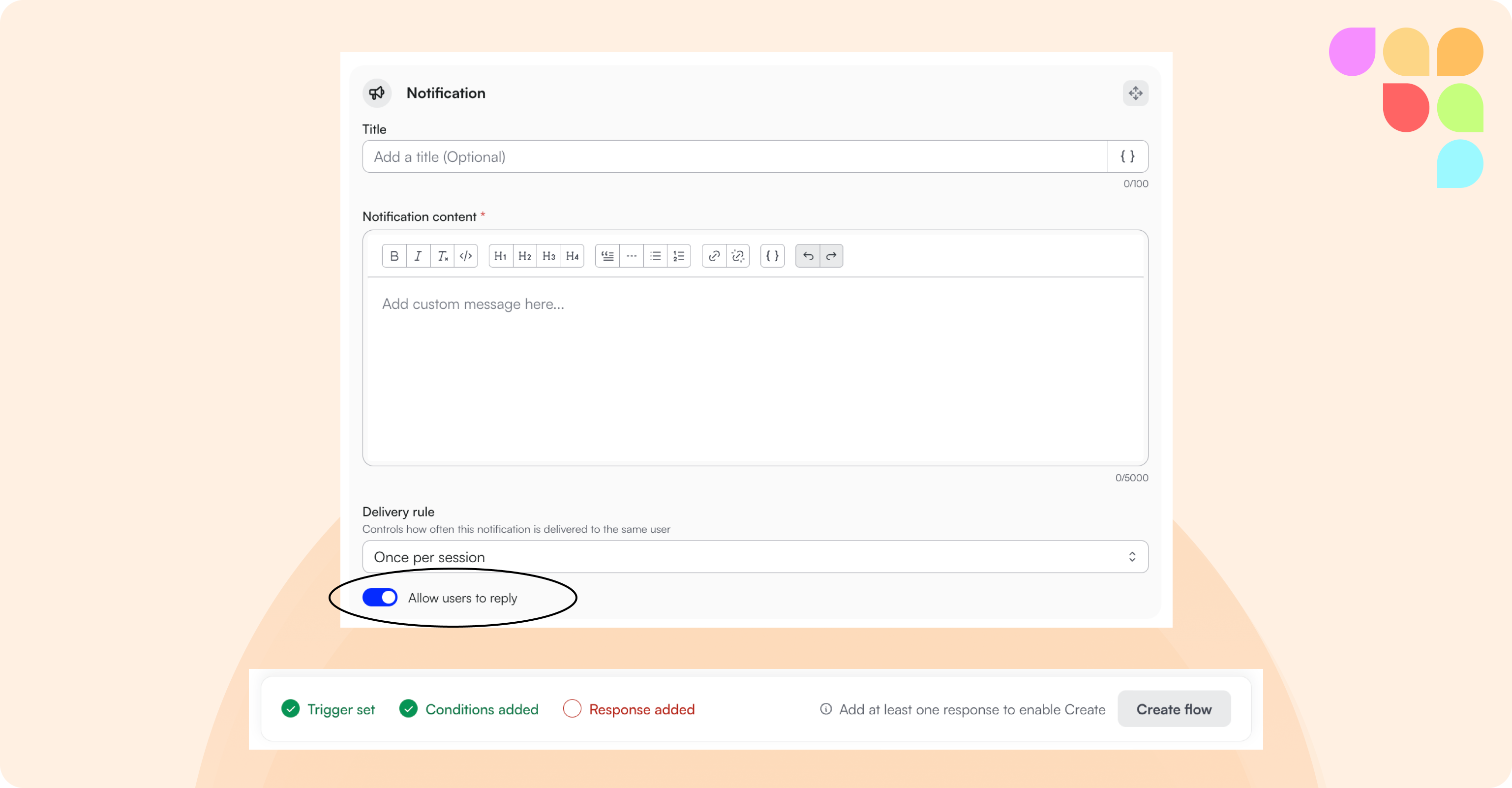
Flow Creation UX Improvements
The flow editor now includes a persistent save bar with a live validation indicator. If required components are missing — a trigger, at least one response or action — the validation panel surfaces this clearly before you attempt to save, removing ambiguity about why a flow cannot be saved. Additionally, notification responses now have "Allow user to reply" enabled by default, reducing manual configuration for the most common setup.
Exclude Files from Moodle Knowledge
Admins can now exclude specific files from an assistant's Moodle course knowledge, giving more precise control over which content is surfaced to students.
WCAG 2.2 Accessibility Remediation
This release completes our WCAG 2.2 A & AA remediation work, addressing remaining "Partially Supports" criteria across keyboard navigation, focus indicators, color contrast, text spacing, and screen reader support. An updated VPAT reflecting full conformance will follow once the re-audit is finalized.