
LearnWise changelog
Release of June 29th, 2026
✨ New Features
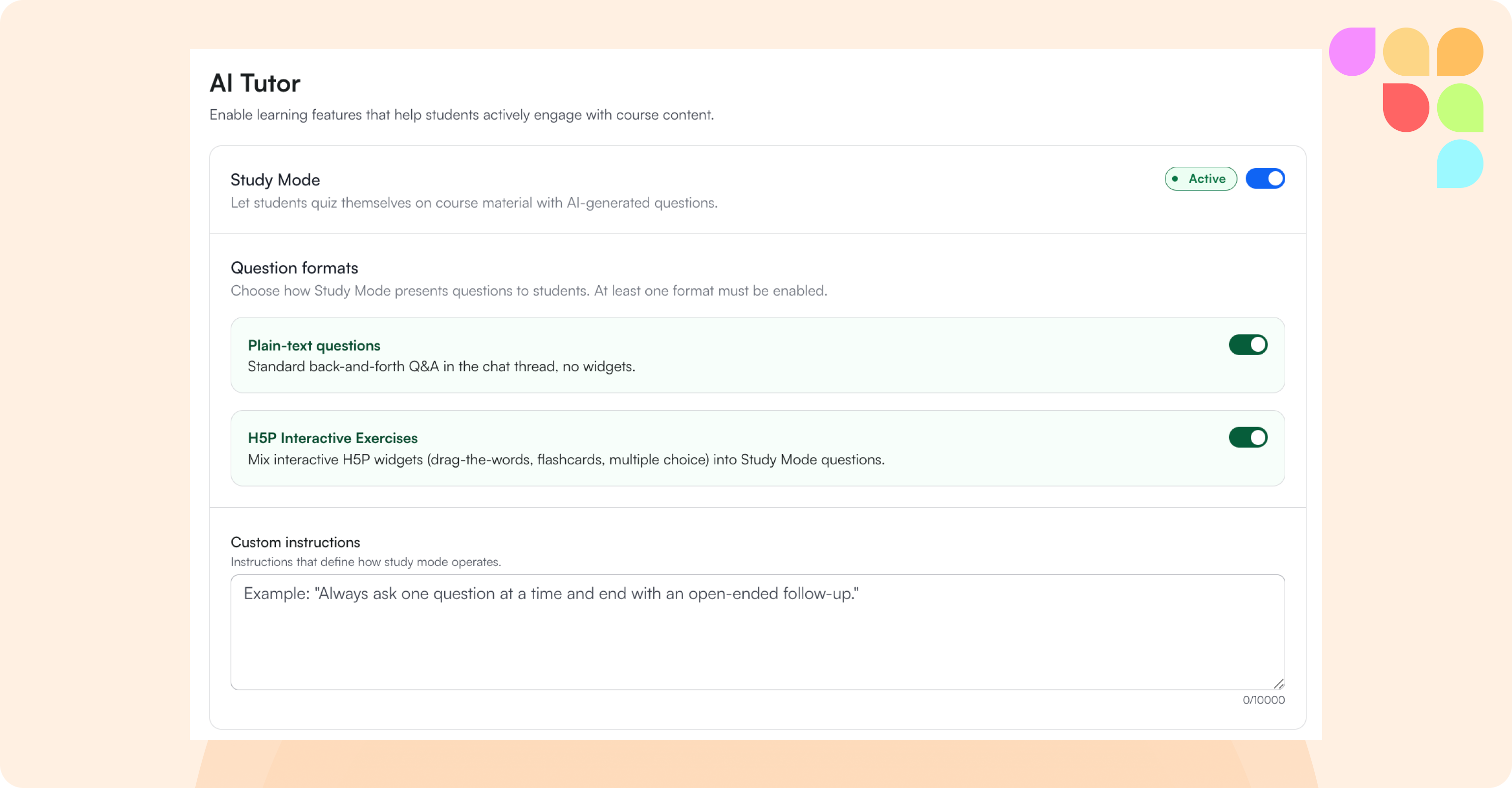
H5P and Study Mode Unification
The AI Tutor admin panel has been redesigned into a single unified tab with independent toggles for text and H5P, per-widget type controls, and one global custom instructions field. Study Mode now supports H5P interactive exercises (Drag the Words, Multiple Choice, True/False, Flashcards) alongside text-based questions — the assistant decides per turn which format to use based on the student's progress and course content. Completed widgets collapse into a score summary and the assistant follows up, with widget interaction data part of the conversation history so students can ask contextual follow-up questions. Study Mode can now also be used without an LMS connection.
AI Ops Assistant: Moodle Support
The AI Ops assistant now supports Moodle, including compatibility across Moodle versions 3.9, 4.1. and 4.5. Get in touch with your sales associate for more details.
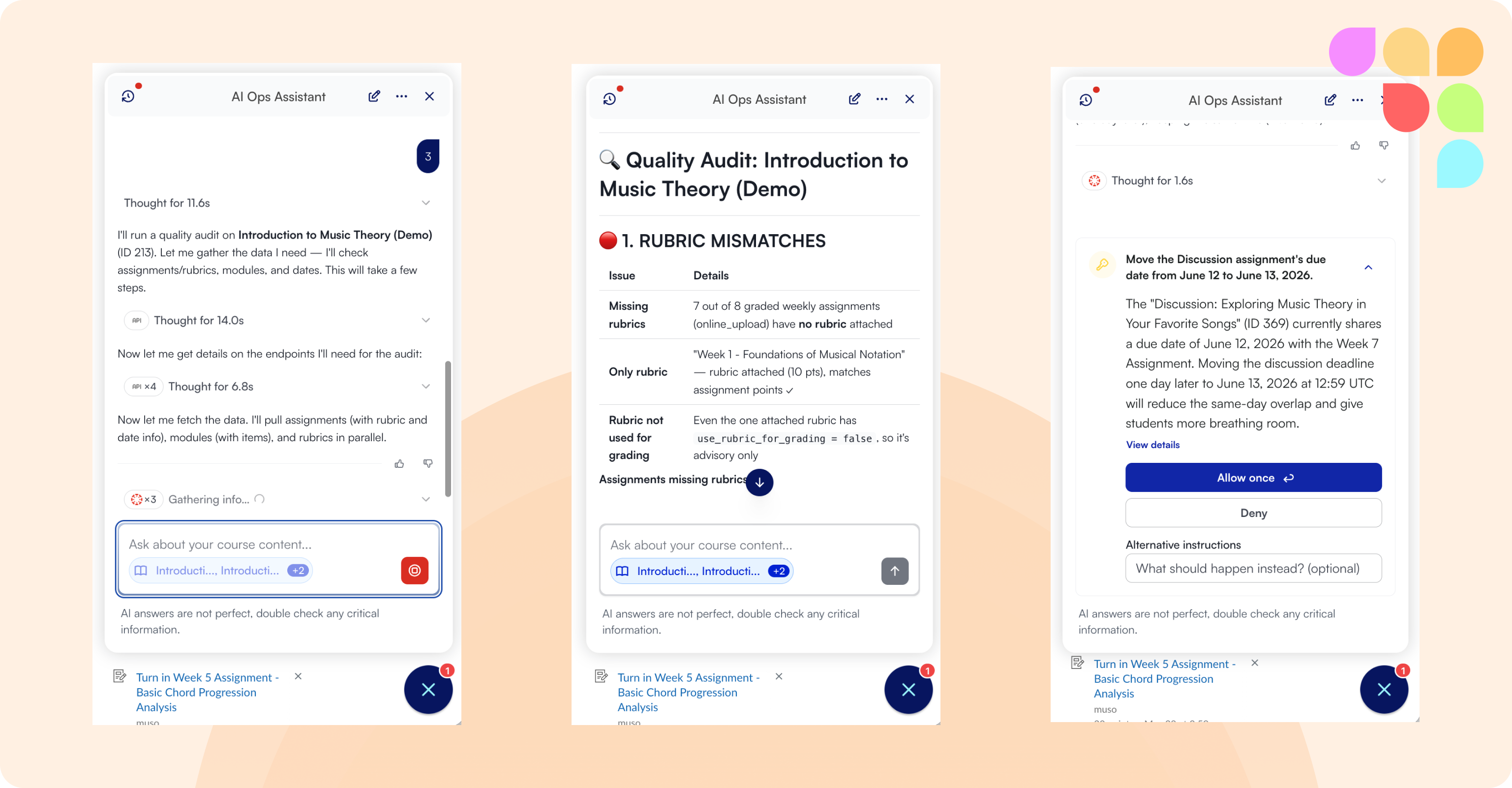
📄 Introducing the AI Ops Assistant
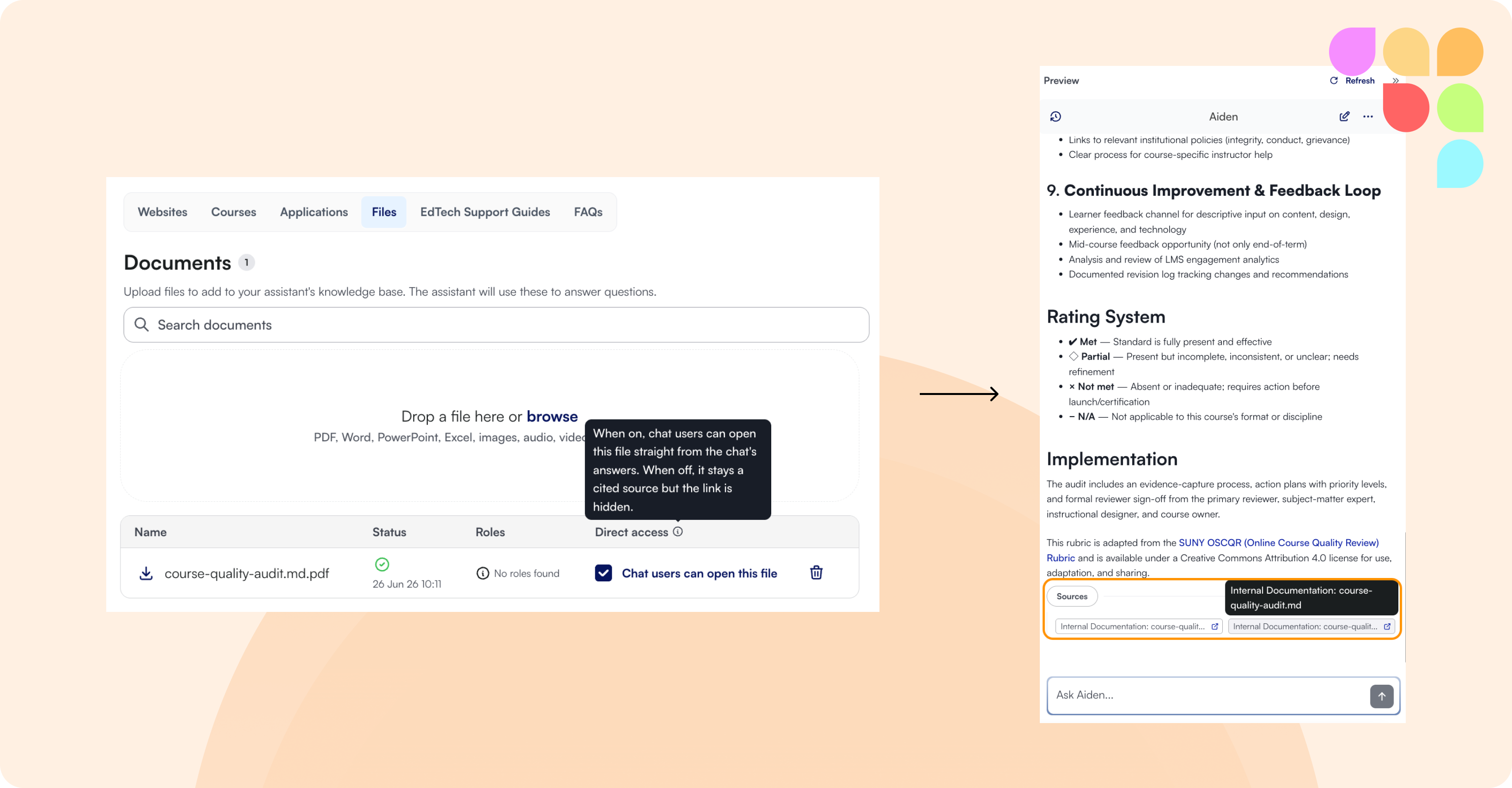
Direct Access for Uploaded Files
Admins can now enable Direct Access on knowledge and course files, allowing end users to open the source file directly from the assistant's response. The setting appears as the last step in the file upload flow and applies to both knowledge files and course files, including the teacher panel view.
🛠 Improvements
Multiple LTI placements in Moodle
The Moodle plugin now supports multiple LTI placements, making it possible to run more than one assistant in the same Moodle instance.
H5P widget state now visible in the inbox
The admin inbox now correctly renders H5P widget content from past conversations, including partial widget state and the final summary card shown after completion.
Custom instructions now apply to H5P question-answering
Custom instructions now take effect when the assistant responds to questions students ask about their H5P widget interactions.
Extended conversation history
Students can now see 30+ conversations in their chat history sidebar, up from 10, with a load more option for older conversations.
Panopto video access filtering
Admins can now configure which Panopto video access levels are included in the assistant's knowledge base (restricted, public, public unlisted, organization, organization unlisted).
Accessibility enhancements
Multiple fixes across the admin panel including keyboard navigation improvements, heading markup corrections, timezone dropdown formatting in Flow Conditions, and WCAG 2.2 AA contrast compliance for H5P completions in Study Mode.