
LearnWise changelog
Release of July 13th, 2026
✨ New Features
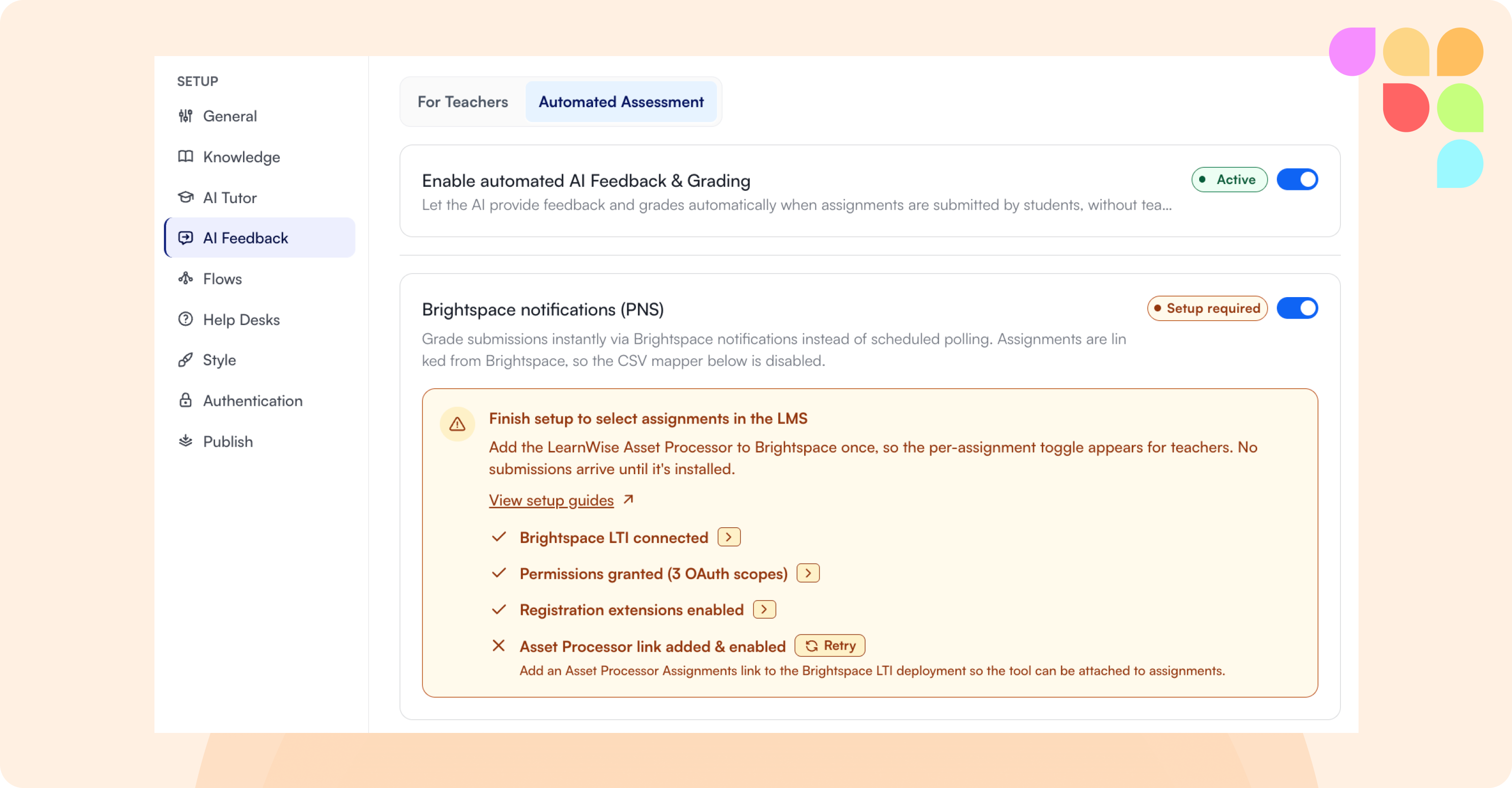
Automated AI Feedback for Brightspace (PNS)
Brightspace submissions can now be graded the instant a student submits — no polling or CSV mapping needed. Turn on "Brightspace notifications (PNS)" under Assistant → AI Feedback → Automated Assessment, complete the setup checklist, then attach the tool to an assignment for automatic grading on every submission.
📄 How does Brightspace Instant Feedback (PNS) work?
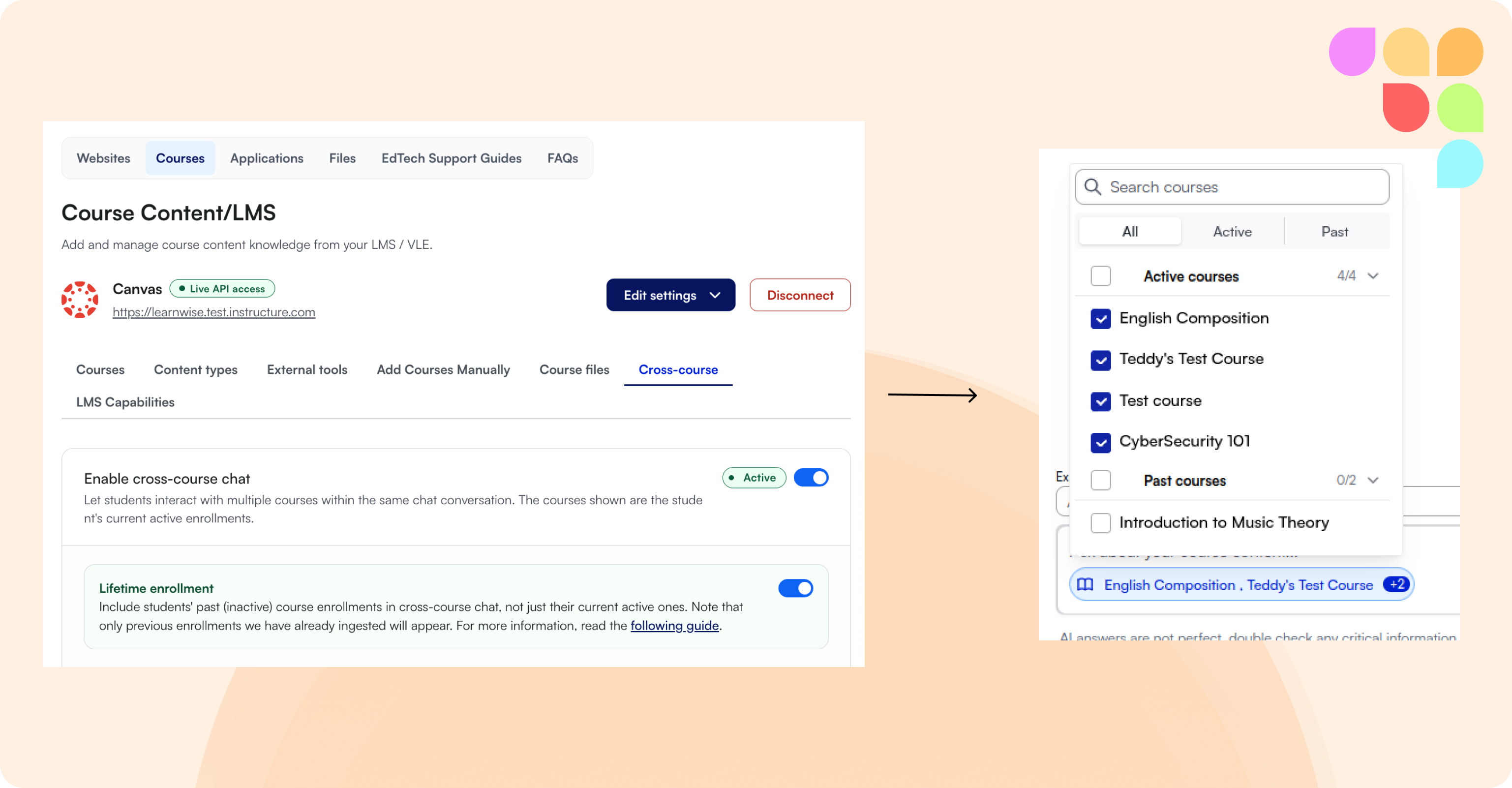
Lifetime Enrollment History for Cross-Course Chat
Cross-course chat can now pull in content from a student's past (inactive) courses, not just currently active ones. Admins enable it per assistant; when it's on, learners see their courses grouped into current and previous, and can chat with either or both. Current course content is still prioritized in responses.
📄 What is Lifetime Enrollment and how does it work?
Role Restrictions for FAQs
FAQs can now be restricted to specific LMS/Entra roles, the same way websites, files, and other knowledge sources already are. Set roles per FAQ in Knowledge → FAQs; if no roles are set, the FAQ remains visible to everyone.
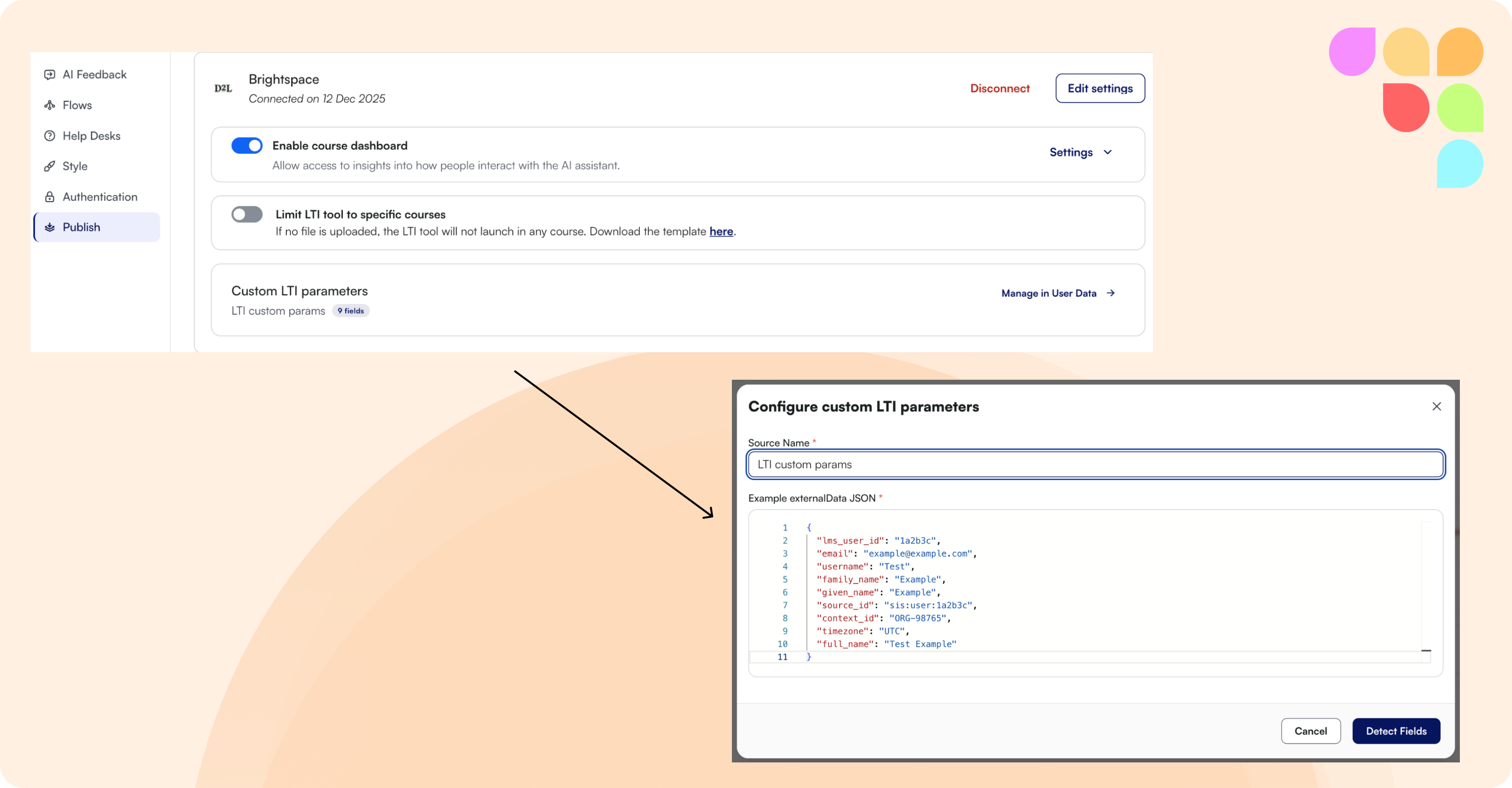
Custom LTI Parameters in Chat Context
Assistants launched via LTI can now accept an admin-defined allowlist of custom parameters from the LMS (e.g. program, cohort, student ID) and make them available as external user data — usable in conversation context and Flows, without a CSV upload. Configure it under Publish → Custom LTI Parameters. This feature is available in Canvas, Brightspace, and Blackboard.
📄 What are Custom LTI Parameters?
tawk.to Live Chat Escalation
tawk.to is now a supported escalation option, letting learners hand off from the Learnwise chat to a tawk.to agent session.
Google Drive Course Video Ingestion (Moodle)
Course assistants can now pick up video content embedded from Google Drive on Moodle course pages — the video is transcribed and becomes searchable knowledge for that course, where previously it was skipped entirely.
🛠 Improvements
Filter Inbox by External User Data
Admins can now filter the Inbox by external user data (CSV, Microsoft Entra, LTI, etc.) — pick a field and a search term, and the list narrows to conversations whose stored value contains that text. Requires a single assistant to be selected, since fields are assistant-specific.
CSAT Filter in Inbox
The Inbox filter panel now includes a CSAT filter, so admins can quickly surface conversations that received a CSAT rating instead of scrolling through the full list.
Sort Courses by Any Column
The courses list in your LMS integration can now be sorted by any column, in ascending or descending order, making it easier to find specific courses in a large catalog.
Latvian Chat Interface
Latvian is now a supported chat interface language — the chat UI, including dates and times, displays in Latvian when the LMS course language is set to Latvian.
Insights Access for Collaborator Role
Collaborators can now access Insights, matching the access they already have to Assistants, Inbox, and Improvements
Restrict AI Ops API Capabilities by Organization
LMS API access for AI Ops assistants can now be restricted per organization/integration — limiting which endpoints (or read-only access) are exposed, rather than the full API spec by default.
Accessibility
This release includes a range of accessibility improvements across Knowledge, Flows, and Chat, making Learnwise easier to use with a keyboard or screen reader — clearer labels on buttons and controls, more logical navigation order in menus and forms, better color contrast, and more reliable screen reader support throughout.