
LearnWise changelog
Release of October 27th 2025
✨ New Features
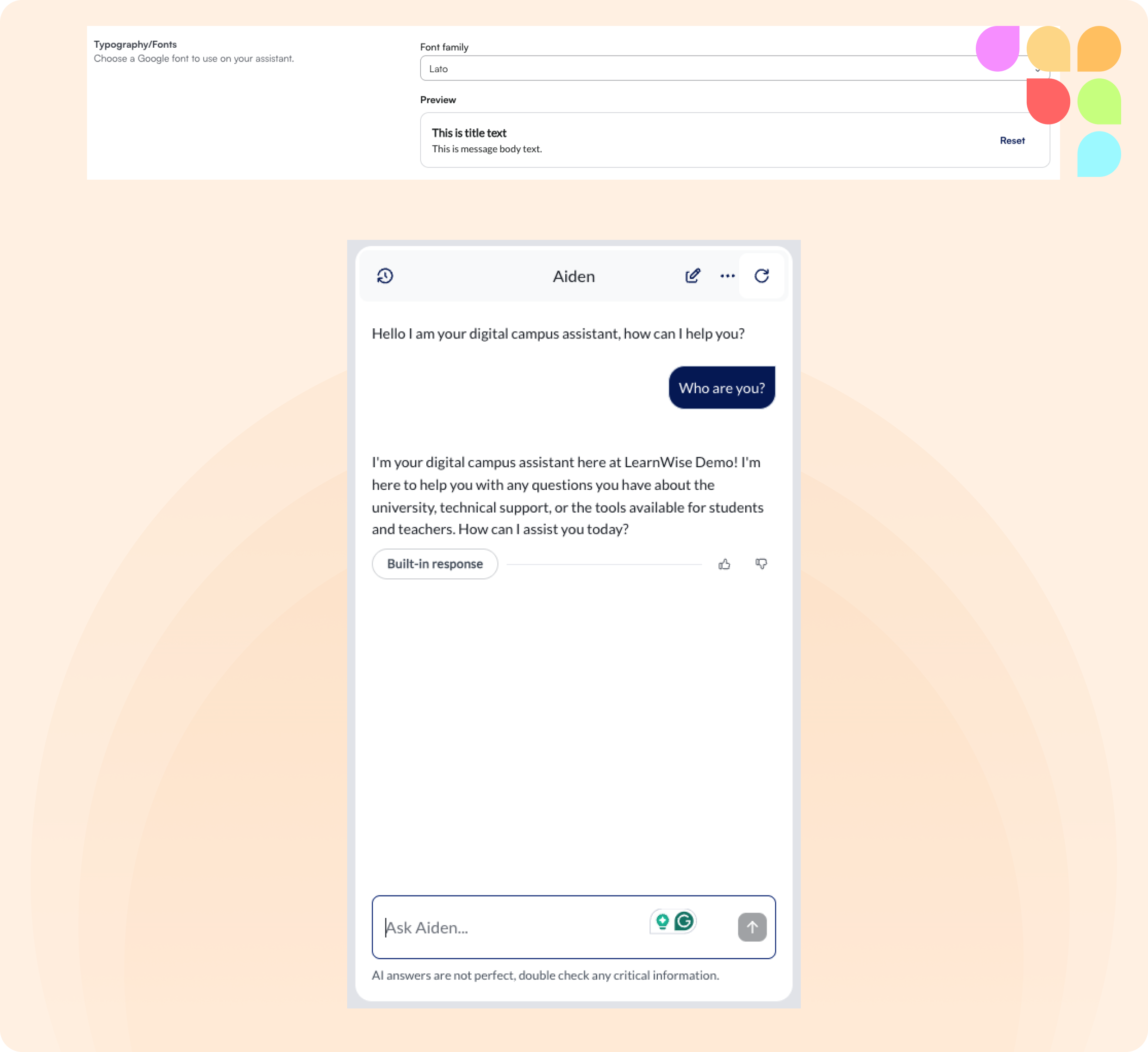
Custom Font Selection
You can now select from over 1400 Google Fonts or use the default Satoshi font to customize the appearance of your chat interface, improving accessibility and brand alignment.
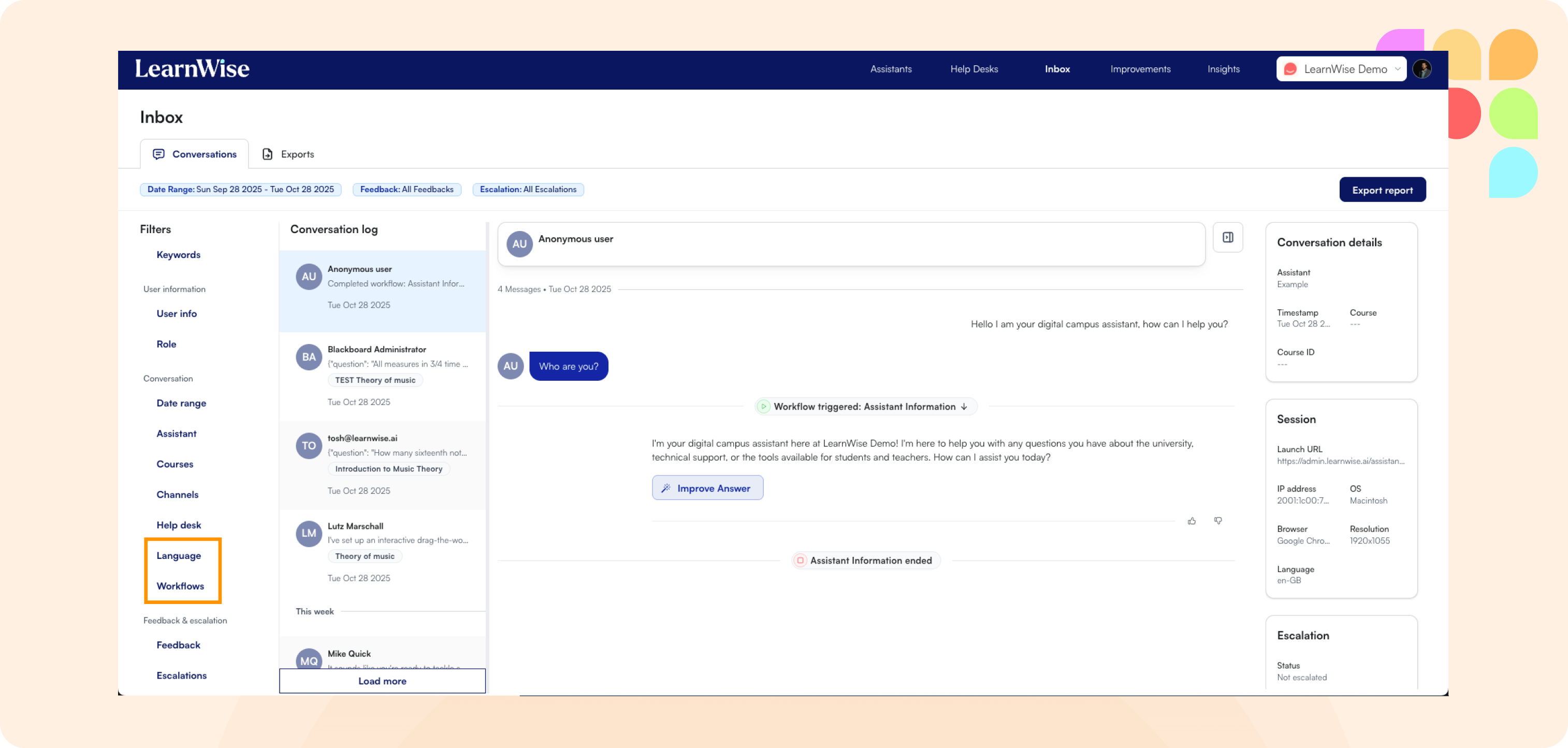
Workflow and Language Filtering in Inbox
Filter inbox conversations by triggered workflows and language(s) spoken, making it easier to track when specific automated flows are being used. This filter is also available when exporting inbox data.
🛠 Improvements
Removed Mandatory Form Fields For Escalation Options
Mandatory name, description, and email fields have been removed when escalating to phone numbers or external URLs, creating a faster support experience.
Streamlined Escalation Email Templates
Escalation emails now contain only essential information (subject, username, assistant name, created time) for cleaner ticketing workflows.
Persistent AI Feedback Panel
When grading multiple assignment submissions, the AI Feedback side panel now remains open between submissions, streamlining the grading workflow.
AI Pipeline Optimization for Faster Generation
Response times for both chat and H5P Interactives are now significantly faster thanks to the integration of optimized models for improved processing speed.
Enhanced LMS Credential Management
You can now update LMS credentials (Canvas, Brightspace, Blackboard, Moodle) for both course content and API connections directly from Assistant Edit > Knowledge > Courses, with improved validation and clearer edit flows.
Custom Instructions in Feedback Dashboard
Feedback session insights now display custom instructions used during AI personalization, providing transparency into how feedback was generated and adjusted.
Several Enhancements for H5P Interactives
Improved Topic Detection – The assistant now better recognizes quiz topics, including requests like "quiz about week 2" or similar course-specific phrasing.
Better Generation Accuracy – Widgets will no longer generate if no relevant sources are found, reducing irrelevant content and improving study tool quality.
Fullscreen View – H5P widgets now include a fullscreen option, allowing for a better viewing experience when chat windows are constrained.
Enhanced Fill-in-the-Blank Questions – Fill-in-the-blank widgets now generate questions with clearer, less ambiguous answers to reduce false negatives.
Enhanced Course Table Management
The courses table in Assitant Edit > Knowledge > Courses now properly refreshes after connecting LMS data, eliminating the need for manual page refreshes.
Improved Insights Data Export
Insights exports now properly support complex data types, with individual shortcut button clicks and language data available in separate sheets or files.
Increased Floating Button Positioning Flexibility
The padding limit for floating button placement has been increased to 300px, allowing for more flexible positioning to avoid blocking important UI elements.