

Release of July 27th, 2026
✨ New Features
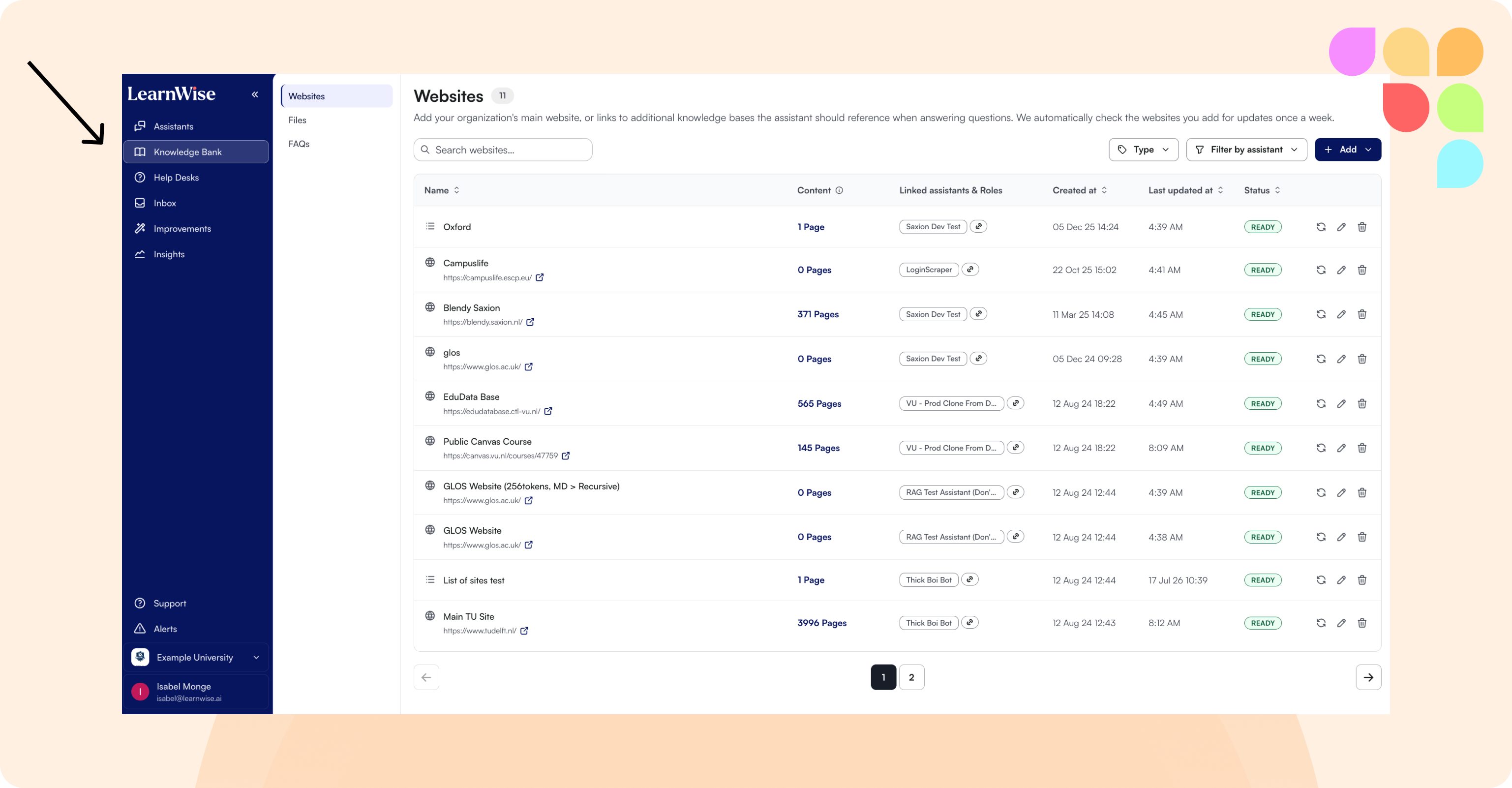
Org-Level Knowledge Bank
Admins can now manage knowledge sources — files, websites, FAQs — at the organization level instead of only within each individual assistant, making it easier to keep shared content current across multiple assistants at once.
📄 What is the Knowledge Bank and how does it work?
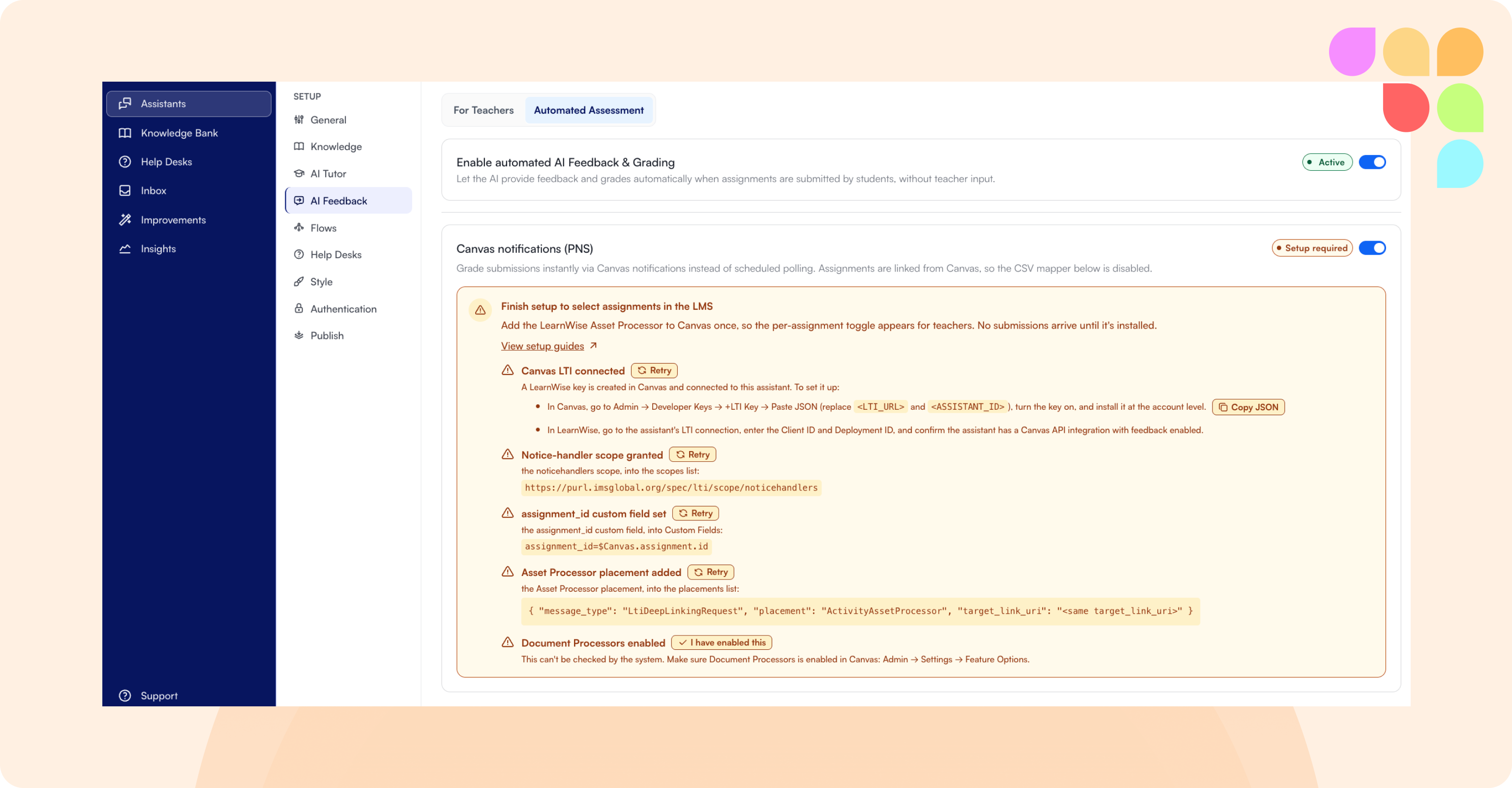
Automated AI Feedback for Canvas (PNS)
Automated AI feedback is now available for Canvas, in addition to Brightspace. Using Canvas's LTI Asset Processor, submissions can be graded as soon as students turn them in — no manual polling or CSV mapping required. Enable it through the Canvas assignment setup flow.
📄 What is Canvas Instant Feedback (PNS) and how does it work?
Moodle H5P Content as Knowledge
Interactive Moodle H5P content — videos, quizzes, presentations — can now be ingested as a knowledge source for course assistants.
Right-to-Left Support for Hebrew and Arabic
Hebrew and Arabic are now fully supported with right-to-left layout across the chat and admin interfaces.
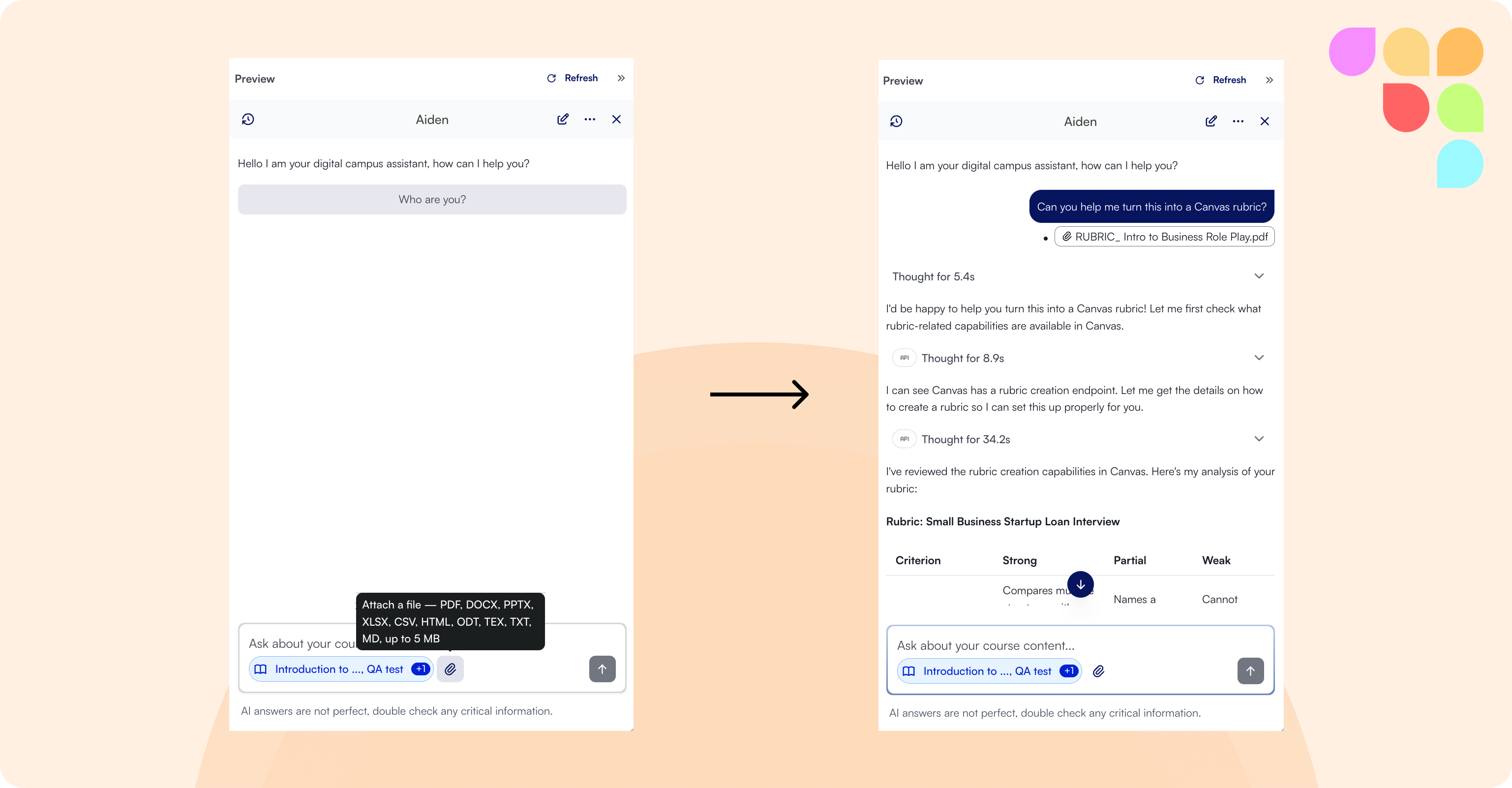
File Uploads in Chat
Users can now attach files directly in the chat input, with the content parsed and used to help ground the assistant's answers. This feature is disabled by default — reach out to your CX representative if you'd like it enabled for your organization.
🛠 Improvements
Expanded SharePoint Ingestion
The assistant can now read a wider range of SharePoint content beyond modern pages, so more of your SharePoint knowledge base becomes searchable.
Timestamps in Video Transcriptions
Auto-generated video transcriptions now include time indexes, enabling deep links to a specific moment in a video source.
Refreshed CSV Bulk Import
The modal for bulk-importing FAQs and knowledge via CSV has a cleaner, updated interface.
Finnish Language Support
The chat interface and admin app can now be used in Finnish, alongside our other supported languages.
Clearer Error Messaging
Opening an assistant link that no longer exists in your org now shows a clear error page with a path back, instead of a generic error.
Accessibility
This release includes a range of WCAG 2.2 AA accessibility improvements across Knowledge, the assistant editor, and admin navigation — clearer screen reader labeling, better keyboard/focus order, improved contrast, and proper page reflow at high zoom levels.