

Release of September 21st, 2026
✨ New Features
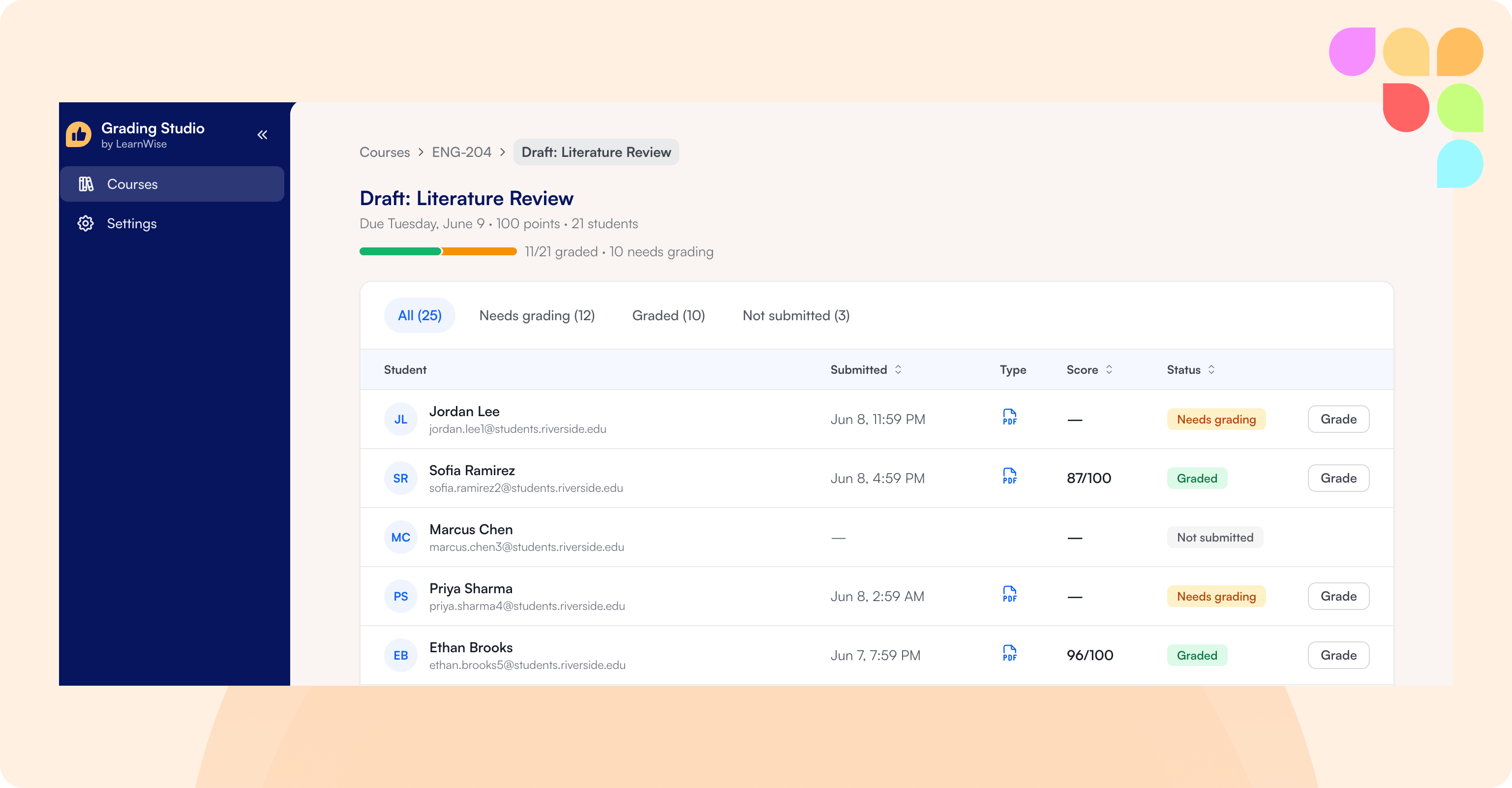
Grading Studio
Grading Studio is a dedicated space for reviewing and grading student submissions: an inbox of submissions organized by status, a built-in document viewer, and three ways to start feedback (type notes for AI to expand into full comments, record a voice note, or generate feedback straight from the rubric). Instructors can edit the AI-generated feedback freely, rate each rubric section as helpful or not, and add inline annotations directly on the submission.
Grading Studio is currently available for Microsoft Teams, with more LMSs supported in the future.
📄 What is the Grading Studio and how do I set it up?
Exclude Conditions in Flows
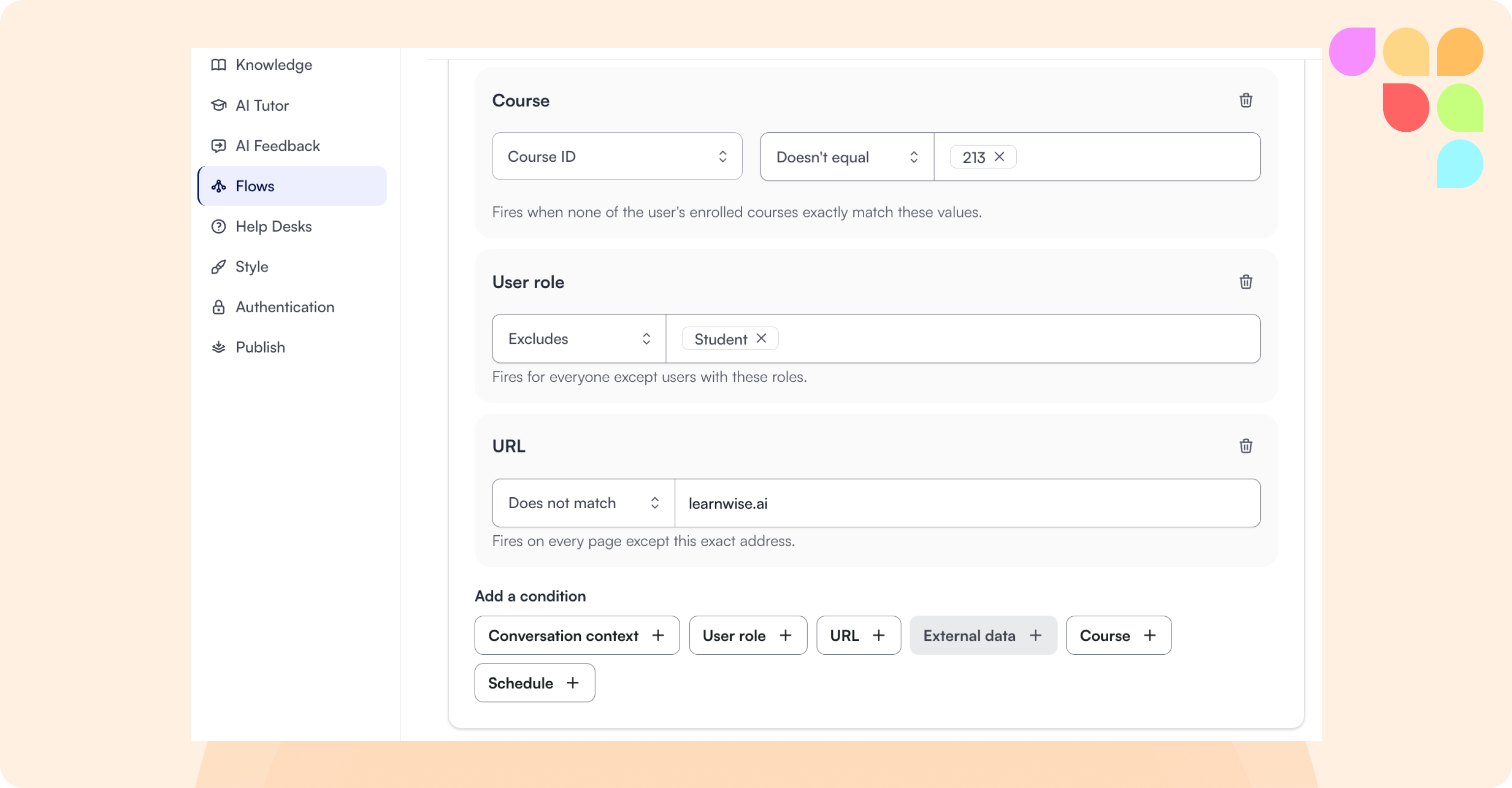
Admins building Flows can now set a condition to exclude specific values, not just match them, across role, course, external data, and URL conditions.
🛠 Improvements
More Flexible Shortcut Buttons
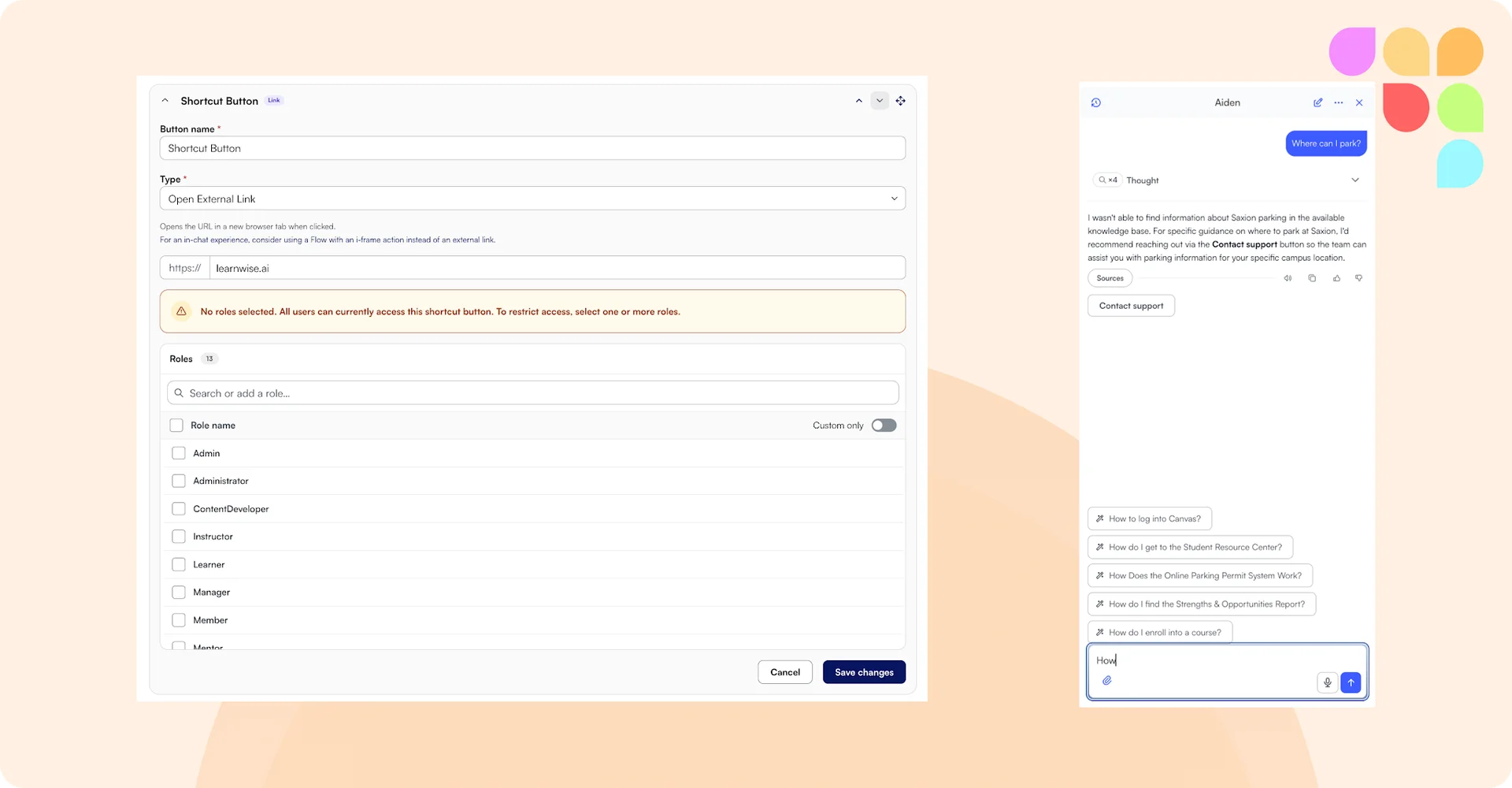
Admins can now assign specific roles to individual shortcut buttons, so different groups (students, staff, teachers) each see the shortcuts most relevant to them. Admins can also enable shortcut buttons inside an active conversation, not just the welcome screen.
HEIC/HEIF Image Support in Feedback
The feedback tool can now read HEIC and HEIF image files (the default photo format on iPhones) in student submissions.
Anonymized Conversation Logs
Admins and instructors can now turn on anonymized conversation logs in the Admin Inbox and Teacher Insights, showing "Anonymous User" instead of real names and scrubbing personal details, including a student's approximate city and country. This also applies to conversation messages themselves.
Copy Button for AI Answers
Chat now includes a copy button under each AI answer that preserves formatting, so tables and text can be pasted directly into a document or spreadsheet.
Control Automatic Updates for Website Knowledge Sources
Admins can now choose whether a website or web page knowledge source updates automatically, both at creation and afterward from the knowledge table.
Real Video Titles in Source Citations
Video sources cited in chat answers now show the actual video title instead of a generic ID.
Respect Brightspace Access Rules for Past Courses
If your Brightspace settings restrict students from accessing past or closed courses, Tutor's cross-course chat now follows those same rules.
Tutor Insights Section Isolation (Brightspace)
For Brightspace institutions running many sections under one course, Tutor Insights now shows each instructor only the conversations from their own section.
🩹 Patches
The "Adjust" Button Now Follows Instructions More Closely
When instructors ask the Feedback tool to adjust a piece of feedback, it now follows their instruction much more closely. If you ask it to change one specific thing, that's the change it makes.
Teacher Instructions Take Priority
When teacher-level instructions conflict with admin-level instructions, the teacher's instructions now win. Previously admin instructions took priority, but since the instructor is the one giving the feedback, they should be in control of it. This also means requests like "make it shorter" are now reliably respected.
One Set of Instructions per Automated Feedback Run
Automated assessment now uses only the instructions set in its own custom instructions. Previously, instructions from other places could carry over into automated runs, which sometimes led to feedback that didn't match what was configured.
Regenerating Feedback Keeps the Same Grades
Regenerating feedback now builds on what was generated before, so results stay consistent instead of starting from scratch, unless you ask for something different when regenerating. Grades also stay the same unless the submission or rubric changes. To change a grade after generation, instructors can edit it manually.
Longer Custom Instructions
Custom instructions can now be up to 5,000 characters, giving admins and instructors more room to describe how feedback should be written.